
Features /
Forms and data
Training quizzes your team takes as a task
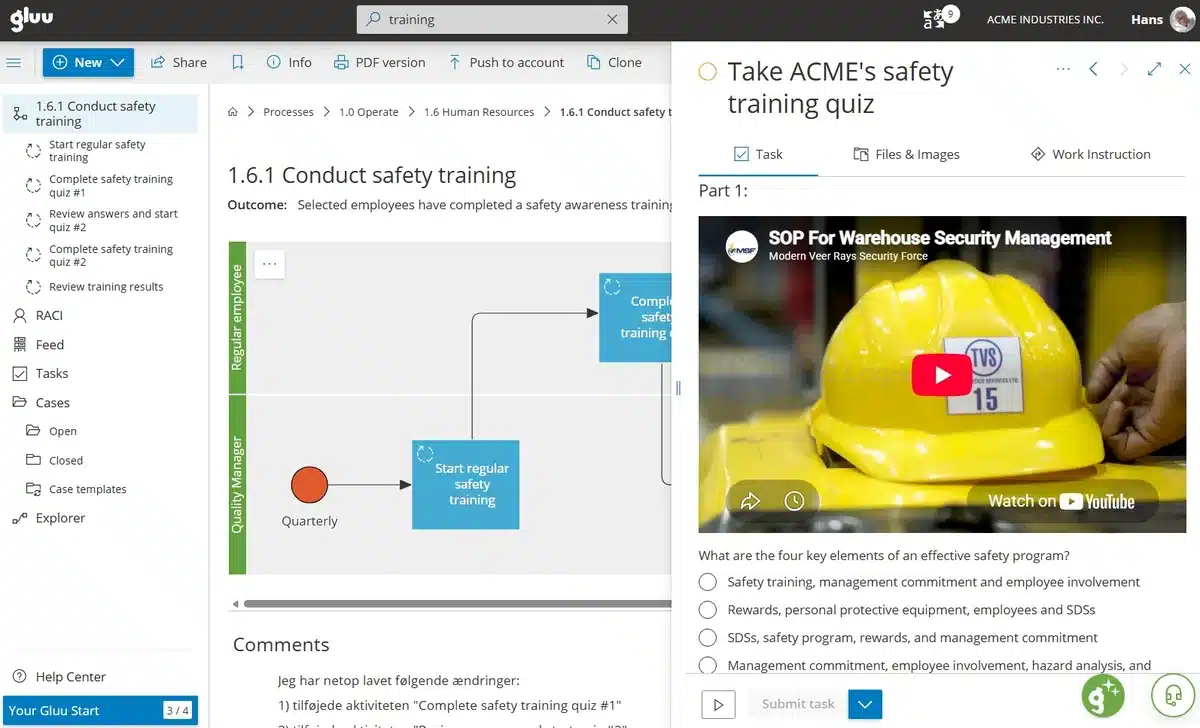
Training quiz software in Gluu is a form with a Quiz field — multiple choice with correct answers — attached to an activity in a process. Everyone holding that role gets the quiz as a task in their task list or mobile app, and completes it alongside their normal work.
 Quiz, video and image fields
Works in the iOS and Android apps
What it is
A training quiz in Gluu is a Form. You build it in the form designer by dragging in a Video field to embed the training clip, a Quiz field holding each multiple-choice question and its correct answer(s), and whatever else the session needs — an Image, a Headline, a Competence field for the skill or certificate involved. Mark the questions Required and nobody can submit the task without answering them.
So the quiz is not a learning system bolted on the side. It is one of fifteen field types in the same form designer used for inspections, checklists and handover reports, and the answers land in the same place as every other submission: see how forms and the data they capture work across Gluu.
Why it matters
Why put training inside the process?

Completion stops being something you chase
A training case lists every person the quiz went to and marks who has answered. There is no attendance sheet to reconcile afterwards, and when an auditor asks who was trained on the current procedure, the record already sits on the task rather than in someone’s inbox.

The training changes when the process changes
The quiz sits on the activity it tests, inside the process it belongs to. Update the procedure and the training that verifies it is right there — not in a course library nobody remembers to revise. Documentation and training therefore stop drifting apart between audits.

Nothing new for anyone to learn
People take the quiz where they already pick up their work — My tasks in the browser, or the Gluu app on a phone out on the floor. No second login, no course catalog to navigate and nothing extra for IT to integrate, because training arrives as one more task in the shift.
How it works
How does a training quiz work in Gluu?
Building the quiz is form work; running it is process work. The two halves meet when you attach a published form to an activity, and from there the training behaves like any other task in Gluu. Step-by-step instructions live in the guide to creating and managing forms.
Build the quiz as a form
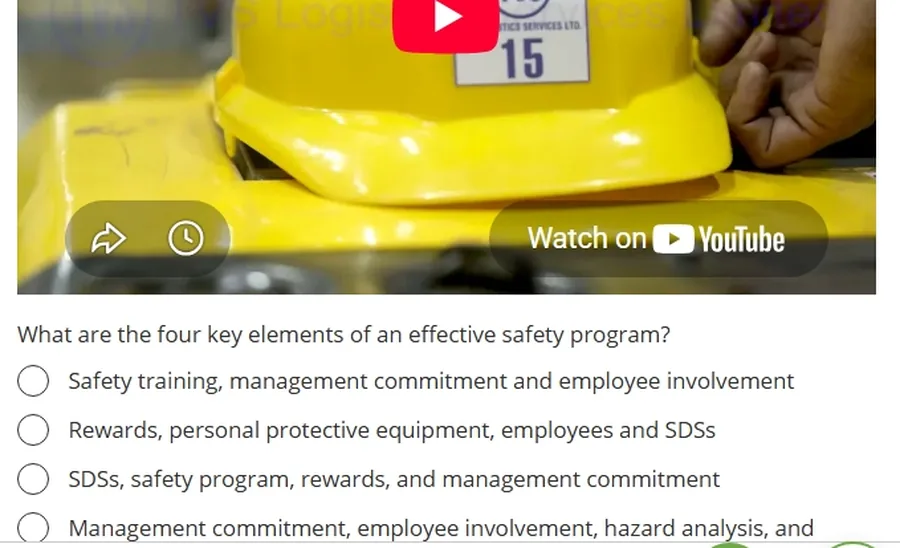
Open Forms in the left menu and add a form, then drag in the elements the session needs: a Video field to embed the clip, a Quiz field for each multiple-choice question with its correct answer(s), an Image or Headline to separate the parts. Mark the questions Required, then toggle the form to On so it can be attached to tasks.
Attach it to the activity that needs it
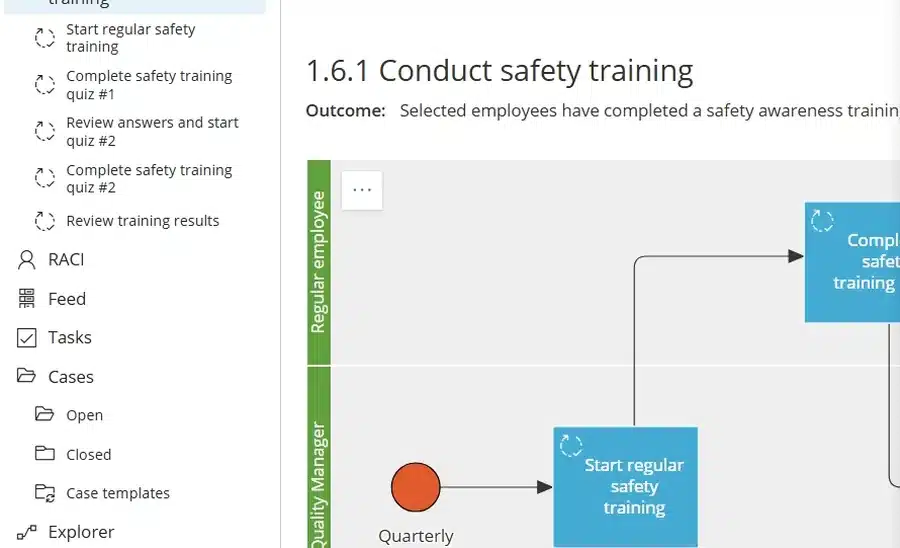
Map the training as a process first — who starts the round, who takes which quiz, who reviews the answers — then attach the published form to the activity where the quiz belongs. In the example above, a Quality Manager starts the quarterly round, employees complete quiz #1 and #2, and a review activity sits between them.
Run it as a case for everyone in the role
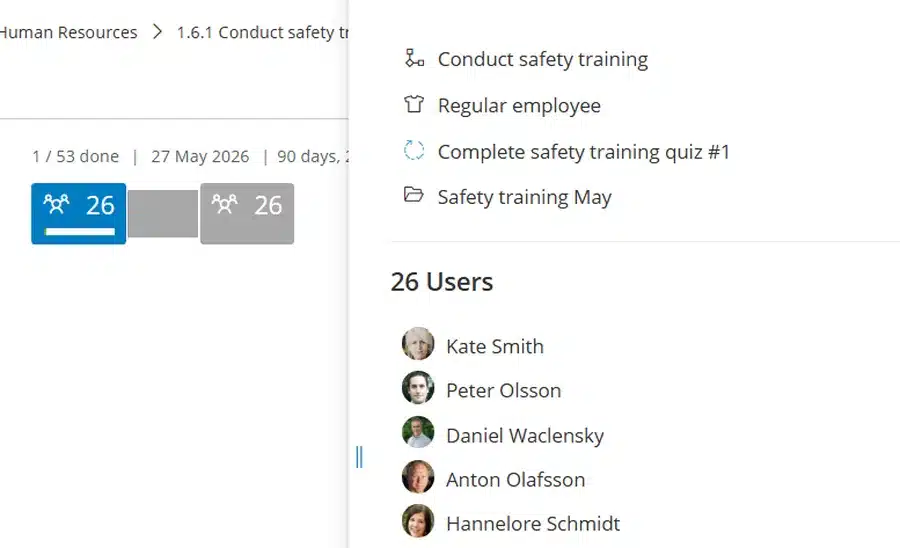
Start the training as a case from the case template. Tasks show to users with the right role at the right time, so the quiz reaches all twenty-six people holding that role without anyone assigning names one at a time. The case tracks how far the round has got and how many days are left to finish it.
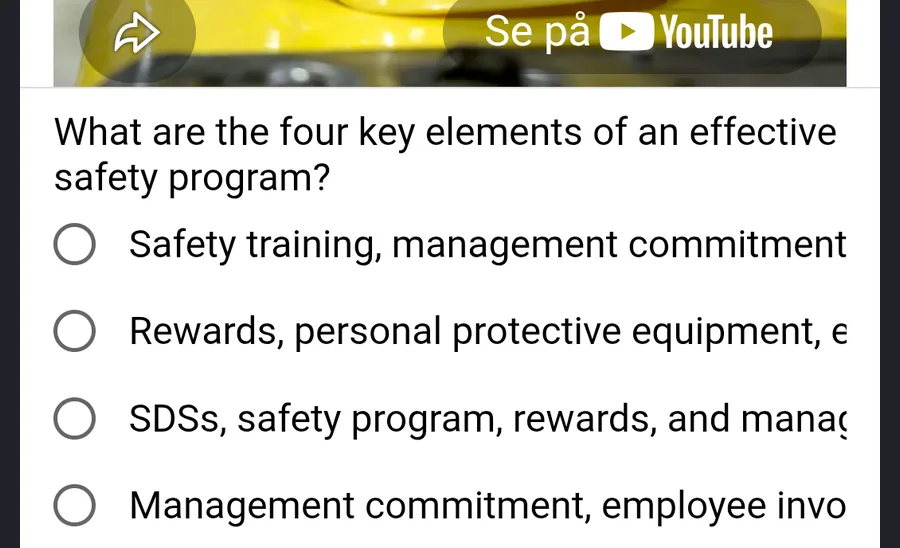
People take it during the shift
The quiz appears under My tasks and in the iOS and Android apps, video and all. Someone watches it, answers, and hits Submit. Gluu records who finished the task and when, and stores the answers as form data on the case for whoever reviews them.
Availability
Customizable forms — the Quiz field among them — are available on the Advanced plan. Running one training across everyone in a role, with completion tracked per person, requires the HR Manager add-on. See what each plan includes on the pricing page.
Frequently asked questions
Not for this kind of training. A quiz built as a Gluu form covers the mandatory sessions on safety, hygiene, machine operation and procedure changes — training that has to reach everyone in a role and be provable afterwards. Gluu is not a course catalog with learning paths and a certificate store, so an organization running broad skills development will still want an LMS beside it. There is a longer write-up on running online training in Gluu instead of an LMS.
No. The Quiz field stores the correct answer(s) alongside each question, and the answers people give are saved as form data against the task and the case. Reviewing them is a step in the process — the example above puts a “Review answers and start quiz #2” activity between the two rounds, so a Quality Manager checks the results before the next one goes out.
Yes. The Video field embeds a clip through an iframe, so a training video sits directly above the questions it is about. Image, Headline and HTML fields let you build the session in parts instead of sending people to a separate page to watch first.
Yes. Tasks with forms open in the Gluu apps for iOS and Android exactly as they do in the browser, video included. That matters where the people who need the training work on a floor or a site rather than at a desk.
The case lists every user the quiz went to and marks completion per person, alongside overall progress and the days left. Because task completion records who finished and when, the evidence an auditor asks for is a by-product of running the training rather than a report someone has to assemble.
Yes. A task can be scheduled to start on a recurrence — daily, weekdays, specific days or months — and forms attach to scheduled, recurring and case-based tasks alike. Compulsory training that has to happen four times a year is set up once and then arrives on its own.
Written and reviewed by
Last updated
All Features
Keep exploring the platform
Ready to make training just another task?
Gluu free 30-day trial. No credit card required. Start from €24 / year.