
Features /
Process improvement
Change suggestion software that closes the loop
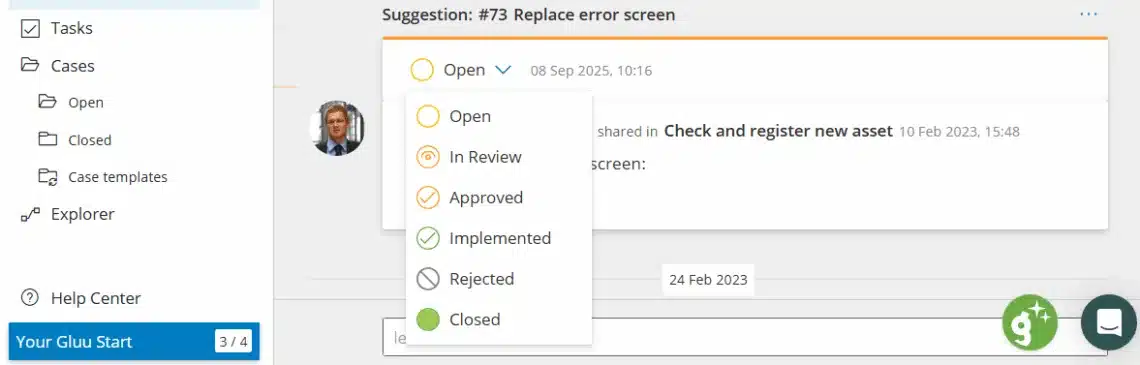
Change suggestion software in Gluu turns any comment on a Process or Activity into a formal suggestion that moves through Open, In Review, Approved, Implemented, Rejected and Closed status — reviewed by the team that owns that process — then bundled into a version with one-click change communication to everyone the change affects.
What it is
Change suggestion flow is the specific mechanism inside Gluu’s wider process improvement loop that carries one comment from “someone noticed something” to a published, versioned change. Any comment on a Process or Activity can become a formal suggestion, and any suggestion can be turned back into a comment if it isn’t ready to be formalised yet.
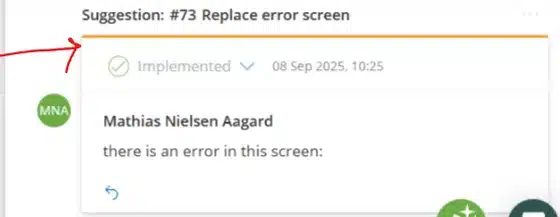
Once submitted, a suggestion carries its own status — Open, In Review, Approved, Implemented, Rejected or Closed — visible to anyone watching that process, so nothing needs to be chased over email. Review and approval sit with whoever owns that specific process: a Process Owner, an Editor, or a designated approver such as a Quality Manager, depending on how the process is configured.
Why it matters
A closed-loop review process, owned by the right team

Ideas don’t sit forgotten in an inbox
A change suggestion carries a visible status — Open, In Review, Approved, Implemented, Rejected or Closed — so the person who raised it can see it move without asking around. That visibility is what keeps people submitting the next idea instead of giving up after the first one goes quiet.

Review sits with the team that owns the process
There’s no central improvement committee to wait on. A Process Owner, Editor or a role designated for that process reviews suggestions and decides what happens next, so the loop closes without anyone needing to escalate it elsewhere.

Every rollout comes with an audit trail
Each version keeps its suggestion, its discussion and who approved it, attached permanently. When a change needs explaining months later — to an auditor or a new hire — the reasoning is still there, not lost in an old email thread.
How it works
How does the change suggestion flow work in Gluu?
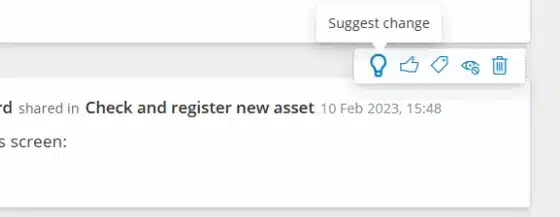
Turn a comment into a suggestion
Any comment on a Process or Activity can become a formal change suggestion in one click — and just as easily turn back into a comment if it isn’t ready to be formalised yet.
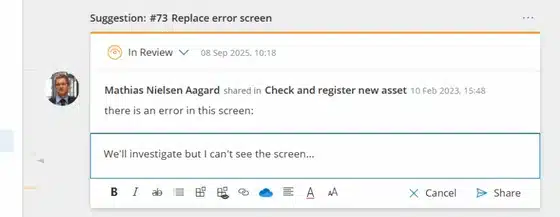
Discuss it while it’s In Review
The suggestion keeps its own thread. Editors and colleagues reply directly underneath it while it sits In Review, so the context doesn’t get split across email and chat.
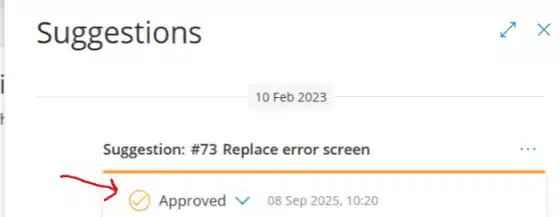
Review approved suggestions from one panel
Suggestions attached to a process open in a side panel next to the diagram, so an editor can see what’s Approved and update the process without leaving the page.
Bundle it into a version and notify everyone
Approved suggestions get bundled into a named version, with a changes summary listing exactly what moved and which suggestions it resolves. The same flow sends a one-click change communication to everyone the update affects.
Availability
Change suggestion flow is included in the Essential and Advanced plans. Add the Versioning add-on for a formal, customizable approval step and selective restore before a version goes live. See what each plan includes on the pricing page.
Frequently asked questions
Any comment on a Process or Activity that’s been formalised into a tracked proposal. It carries its own status — Open, In Review, Approved, Implemented, Rejected or Closed — and can be discussed, renamed or turned back into a plain comment at any point before it’s implemented.
The team that owns the process it’s attached to — typically the Process Owner or an Editor with edit rights on that process, or a designated approver such as a Quality Manager where one is required. There’s no central improvement committee to route suggestions through.
An editor updates the process or work instruction and bundles the change into a new, named version. The version keeps a full changes summary — what changed, which suggestions it resolves, and who approved it — and a one-click change communication notifies everyone the update affects.
No. Approval requirements are set per process, not globally. Low-risk processes can publish changes automatically once reviewers approve; regulated or higher-risk processes can require a manual release or a fixed, account-wide approver. The approval rule is configured once per process, not re-decided each time someone submits an idea.
A comment is a note or a question; nothing formal happens to it. A change suggestion is a comment that’s been given a status and a review path, so it can be tracked from “raised” through to “implemented and communicated” instead of sitting in a thread indefinitely. See the full step-by-step guide for managing suggestions day to day.
Written and reviewed by
Last updated
All Features
Keep exploring the platform
Ready to close the loop on change suggestions?
Gluu free 30-day trial. No credit card required. Start from €24 / year.