
Process mapping

Process mapping turns “how work must be done” into something everyone can see, discuss, and improve. When you visualize a work flow end-to-end, you spot bottlenecks, unclear handoffs, and duplicate effort much faster. In this guide, you’ll learn what process mapping is, how L1–L4 process levels organise information, which process mapping tools to consider, and how to build maps that actually get used—plus practical process mapping examples you can copy.
Let’s start with defining it.
What is process mapping?
Process mapping is the act of creating a visual representation of a process flow – from the first trigger to the final outcome. In other words, it’s a diagram that shows the steps, decisions, inputs, outputs, and roles involved in getting work completed.
Because the map makes work visible, it helps teams identify:
- Bottlenecks where tasks pile up
- Redundancies where steps repeat or add little value
- Handoffs where work gets stuck between teams
- Control points such as approvals and checks
- Root causes behind errors and rework
Just as importantly, process mapping improves shared understanding. People often describe the same workflow in different ways. A map creates a single agreed version of “the way we work today,” or “standard work”, which is the starting point for improving “the way we want to work tomorrow.”
L1, L2, L3, and L4 processes explained
Many organizations structure process maps in levels so readers can zoom in and out. While naming conventions vary, a common approach is to divide it into four levels:
- L1 (Level 1): Value chain / end-to-end processes – The highest level view of how the business creates value (e.g., “Order-to-Cash,” “Hire-to-Retire”).
- L2 (Level 2): Process groups – Major stages within the L1 flow (e.g., “Receive order,” “Fulfill order,” “Invoice customer”).
- L3 (Level 3): Detailed processes – The step-by-step workflow that teams execute (e.g., “Validate order details,” “Check inventory,” “Confirm delivery date”).
- L4 (Level 4): Work instructions – The “how-to” guidance, templates, screenshots, and rules that make execution consistent (e.g., “How to create a credit note in system X”). ISO calls this level ‘activities’ (as do we in Gluu). Some also refer to a level 5 where tools and systems exist.
This hierarchy matters because not everyone needs the same detail. Leaders often want L1–L2 for alignment and ownership, while frontline teams need L3–L4 for daily execution and training. When you connect the levels, your process library becomes easier to navigate and maintain.
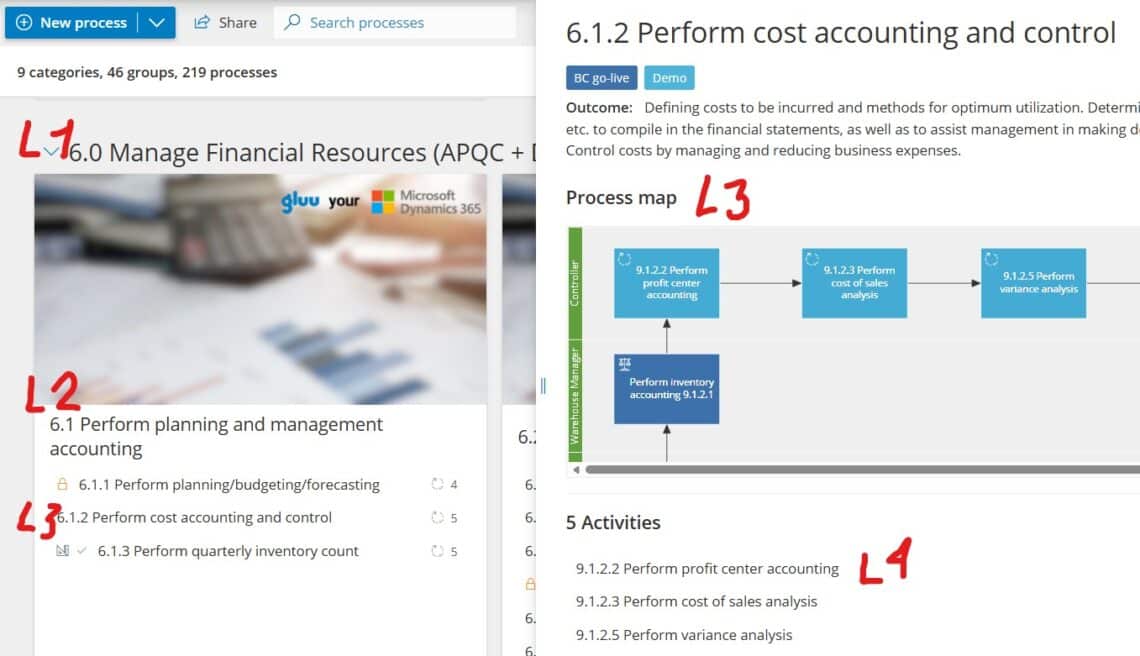
Interested in a deep-dive on how to do this? Take our free Gluu Academy course Designing process architectures 👈
Types of process maps
Choosing the right map format depends on your goal. Sometimes you need speed and simplicity. Other times you need cross-functional clarity or a deeper look at waste. These are some of the most useful process mapping styles:
1) Basic flowchart (simple process map)
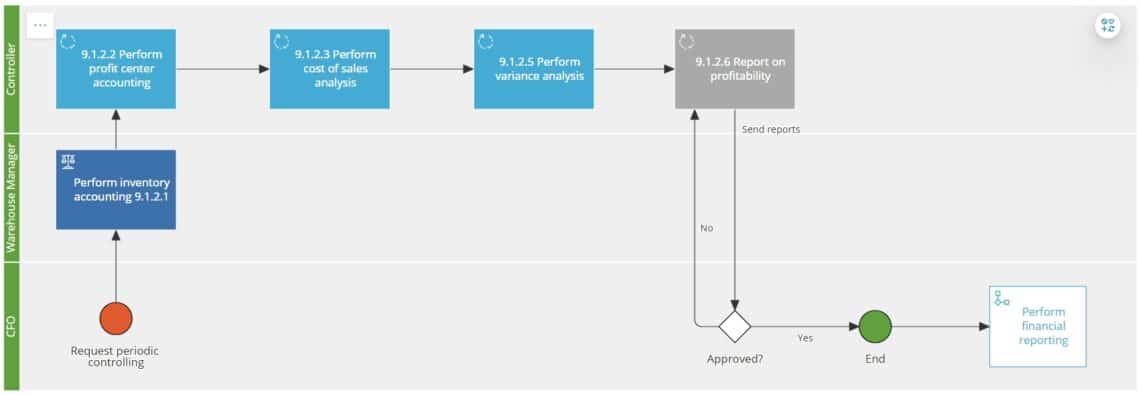
A basic flowchart shows steps and decision points in a clear sequence. It’s ideal for documenting a routine process quickly or creating a shared language across teams.
2) Detailed process map
This format adds more context—such as inputs, outputs, systems, documents, and exceptions. Use it when the process has many variations or when compliance and quality depend on precision.
For instance, the most widely used standard is BPMN 2.0 and it has more than 55 notations to choose from:

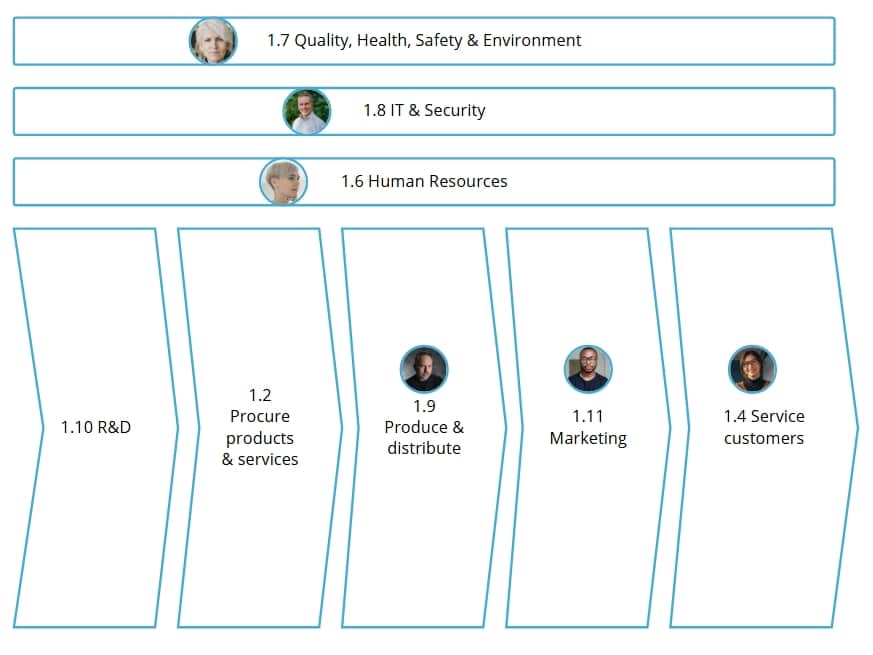
3) High-level process map (value-chain map)
A high-level map summarizes major stages without getting lost in the details. It’s useful for executive alignment, scope-setting, and defining ownership before diving deeper.
4) Swimlane (cross-functional) map
Swimlane diagrams show who does what by placing steps into lanes for roles or departments. As a result, accountability becomes obvious, and handoffs stand out immediately.
The first example above is a swimlane diagram.
5) Value stream map (VSM)
Value stream mapping focuses on time, flow, and waste. It’s especially helpful in operations and Lean initiatives where you want to measure lead time, waiting, rework, and queue sizes.
Process mapping tools
You can create a process map in many ways—from whiteboards and sticky notes to specialized software. However, the best process mapping tools do more than draw boxes and arrows. They help teams collaborate, keep documentation current, and turn maps into interactive guides for real execution by frontline staff.
When comparing process mapping tools, look for these capabilities:
- Collaboration (comments, feedback, approvals, workshops)
- Ownership and governance (roles, responsibilities, version control)
- Linking between L1–L4 levels and related documents
- Accessibility so business users can actually find and use maps
- Consistency through templates, symbols, and standards
In practice, teams often start mapping in diagrams and then struggle to operationalize the result. That’s why collaborative approaches matter: when the people who do the work help build the map, adoption improves and updates become easier. If you want a deeper take on this approach, see why collaborative process mapping is the way forward.
Finally, remember that mapping is not the end goal. The map is a tool to improve performance over time. If your next step is optimization, you can connect mapping directly to continuous improvement practices—see this guide to process improvement for practical ways to turn insights into action.
Examples of process mapping features
BPMN 2.0 mapping
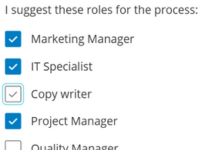
Enable full BPMN 2.0 notation to support structured, standardised process modeling and mapping.
Automatic process creation with AI
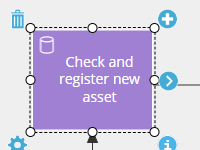
Create new process structures based on existing content using generative AI to speed up mapping.
Simple process mapping
Map with five basic shapes to simplify understanding and use by employees across all levels.
Visual process connection map
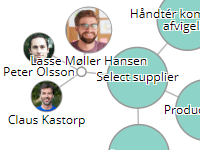
Visualize how processes and activities interconnect using filterable, clickable process maps.
Want something more in-depth? Read our guide to BPM software selection
Steps in process mapping
Different teams use different methods, but most successful efforts follow four core steps. Keep them simple, and you’ll move faster while still producing a map people trust.
Step 1: Choose the process and define the scope
Start with a clear purpose. Are you mapping to reduce cycle time, improve quality, standardize onboarding, or document compliance? Define the trigger (start) and outcome (end) so the map does not expand endlessly.
Step 2: Gather the right stakeholders and facts
Bring in the people who execute the process, plus the teams involved in handoffs. Collect real examples: forms, system screenshots, checklists, and recent cases. That way, you map reality—not a “wishful” version of it.
Step 3: Map the flow with roles, inputs, and decisions
Draft the sequence of steps and decisions. Then add the essentials: roles responsible, inputs needed, outputs produced, and systems used. If cross-functional confusion is common, choose a swimlane layout so responsibility is immediately visible.
Tip: Keep each step action-based (verb + object), such as “Validate request” or “Approve invoice.” This makes the map easier to read and improve.
Step 4: Validate, publish, and improve
Walk through the map with the team and test it against real scenarios. After that, publish it where people work—not where they forget it exists. Set a review rhythm, assign an owner, and capture feedback so the map stays useful.
Here I summarize how to draw a simple process map (old but still very popular video):
Process mapping examples you can use in business
Examples help teams see what “good” looks like. Below are common process mapping examples that deliver fast value, along with what to include in each map.
Example 1: Streamlining approvals
Approval workflows often hide delays because work sits in queues. Map the process with decision points and escalation rules. Then focus on reducing handoffs and clarifying criteria for approval.
Request submitted
  ↓
Check completeness? ── No → Return to requester
  ↓ Yes
Route to approver
  ↓
Approve? ── No → Reject + notify
  ↓ Yes
Execute request + confirm completion
What to capture: required fields, SLA targets, who approves what, and which approvals can be automated or delegated.
Example 2: Onboarding workflows
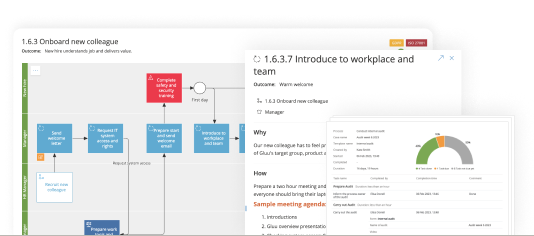
Onboarding touches HR, IT, facilities, and the hiring manager. A swimlane map works well here because it reduces “I thought you did that” moments. Once mapped, you can standardize templates and reduce time-to-productivity.
What to capture: tasks by role, system access steps, required equipment, training milestones, and feedback checkpoints at day 7/30/90.

Example 3: Data handoffs between teams
Handoffs fail when “done” means different things to different teams. Map what data moves between steps, which system is the source of truth, and how errors are handled. Afterward, you’ll typically find duplicate data entry or unclear validation rules.
What to capture: required data fields, validation checks, rework loops, and how exceptions get resolved.
Example 4: Automating repetitive tasks
Automation works best when the process is already clear and stable. Map the current workflow first, then mark steps as “manual,” “semi-automated,” or “automated.” This makes automation opportunities obvious without overselling technology.
What to capture: triggers, decision rules, systems involved, and the data needed to automate safely.
Why process mapping matters
Process mapping pays off because it improves both performance and clarity. Even a “quick” map can stop recurring problems—especially when work crosses teams.
- Higher efficiency and quality because waste and rework become visible
- Clear roles and responsibilities so ownership doesn’t drift
- Faster onboarding and training with consistent L4 work instructions
- A foundation for continuous improvement by measuring and refining what matters
Most importantly, mapping creates a shared baseline. From there, you can run improvement workshops, test changes, and keep the best version of the process accessible to everyone.
Try Gluu for free
Sign up for a 30-day trial.
No credit card required.
FAQ – Process mapping
What is meant by process mapping?
Process mapping means visualizing a workflow so you can understand how work moves from start to finish. A good process map shows steps, decision points, roles, inputs, and outputs, which helps teams improve efficiency and reduce errors.
What are L1, L2, L3, and L4 processes?
L1 is the high-level value chain (end-to-end processes). L2 breaks L1 into major stages. L3 shows the detailed step-by-step workflow. L4 contains the work instructions, templates, and rules people use to execute the process consistently.
What are the four steps of process mapping?
The four steps are: (1) define the process scope and goal, (2) involve the right stakeholders and gather facts, (3) map the flow with roles and decisions, and (4) validate, publish, and continuously improve the map.
What are examples of process mapping?
Common process mapping examples include approval workflows, employee onboarding, customer support ticket handling, purchase-to-pay, and data handoffs between teams. These processes benefit because mapping exposes delays, unclear responsibilities, and rework loops.
What should I look for in process mapping tools?
Look for collaboration features, ownership and governance, easy navigation across process levels, and a simple way to keep maps updated. Tools that support shared feedback and continuous improvement help your process maps stay relevant over time.