
Business Process Architecture

Business process architecture is the “map of flow and value” that connects strategy to day-to-day work. It shows which processes that exist, who owns them, how they interface, and what “standard work” looks like—so improvements don’t stay within silos.
So why does it matter? When organizations skip architecture, they often get duplicated projects, local sub-optimizations, and automation of work that shouldn’t happen in the first place. When they build it, they can focus investments, align teams around shared priorities, and make good practices repeatable across sites, functions, and countries.
In this guide, you’ll learn what business process architecture is, how it differs from simple workflow mapping, which frameworks to use and how the L1–L4 levels work.
Want to start building? You may want to explore the Gluu Academy course on Designing process architectures 👈 first.
What is business process architecture?
Business process architecture (BPA) is the structured, hierarchical view of how an organization delivers value through processes—end-to-end. It combines:
- A process landscape (the big picture of value delivery)
- A process hierarchy (shared levels and naming)
- Governance (ownership and decision rights)
- Interfaces (handoffs across teams and systems)
- Standards and execution assets (instructions, controls, templates)
- Measures (KPIs and risk controls)
- Technology and data tags (systems, integrations, key objects)
- Continuous improvement (a living backlog and change loop)
Unlike a single workflow diagram, business process architecture creates a connected system: strategy at the top, standard work at the bottom, and feedback closing the loop. It helps you decide what to improve, what to standardize, and what to automate—without guessing.
To summarize it in a single sentence:
Business process architecture is the organized map of an organization’s processes—across levels, owners, interfaces, standards, measures, and enabling systems—so strategy can be executed consistently and improved continuously.
Why business process architecture matters
An organisation’s business process architecture pays off when you need alignment and speed at the same time. Here’s what it enables in practice:
1) Strategy becomes operational
A value chain and hierarchy make it clear where value is created and which processes matter most. That makes prioritization easier—especially when budgets and capacity are limited.
2) Governance stops being “nobody’s job”
Clear ownership keeps processes alive after launch. Instead of “the process doc is outdated,” you have named owners, editors, and a lightweight change log that makes updates routine.
3) Improvements scale across teams
Once standards, measures, and system/data tags are connected to process levels, good practices become reusable. You can replicate what works across regions or business units—without reinventing it each time.
Example features for business process architectures
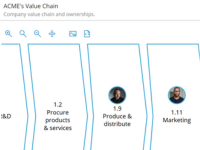
Business Architecture Modeling
Create contextual models to align business architecture with processes, roles, systems, and outcomes.
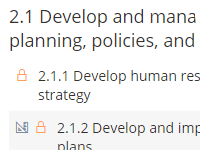
Automatic process numbering
Use automatic five-level numbering of processes according to your custom-defined structure.
Business process architecture frameworks
Frameworks save time because they provide a tested shared language. The trick is not choosing “the one perfect framework,” but layering frameworks so each one does what it’s best at.
Here are five that you’ll come across again and again— with my thoughts on how they support decision-making and prioritization:
Porter’s Value Chain (best for the landscape)
Use it as the one-page helicopter view to align leaders on how value is delivered end-to-end. It’s ideal for focusing investments and clarifying which parts of the business deserve the most attention.

APQC Process Classification Framework (best for consistent naming)
APQC is a cross-industry process taxonomy. It helps you establish consistent L1–L3 names, reduce duplicates, and (if you’re a member) benchmark performance. Tailor it to your reality—it’s a starting list, not your operating model.
Strategic–Operational–Support (best for quick governance)
This simple classification helps you assign ownership and expectations: strategic processes typically have executive owners, operational processes have value-stream owners, and support processes live with shared services.
SCOR (best for supply chain domains)
If supply chain is a major value driver, SCOR provides a mature end-to-end structure plus metrics libraries. Use it inside supply-chain areas (Plan/Source/Make/Deliver/Return) while keeping the rest of the enterprise consistent with APQC naming.
ITIL (best for IT service management)
For IT-heavy organizations, ITIL offers practices and flows for incident, change, request, and more. Apply it inside the Support domain while still aligning names to your overall hierarchy.
Practical layering tip: Put a Value Chain at the top as your process landscape, use APQC for consistent L1–L3 naming, tag items with Strategic–Operational–Support, and then apply SCOR (supply chain) and ITIL (IT) in their respective domains.
Levels of business process architecture
Most organizations use levels to ensure everyone speaks the same language. These business process architecture levels are a practical way to balance overview and detail:
| Level | What it answers | Typical content | Common tools |
|---|---|---|---|
| L1 | Why do we exist? | Purpose, goals, value chain, major domains | Value chain |
| L2 | What do we do to deliver value? | Key process groups, inputs/outputs at a high level | SIPOC (scoping) |
| L3 | How does the process run? | End-to-end process flow, main activities, decisions, handoffs | BPMN (process map) |
| L4 | How do we execute consistently? | Work instructions, checklists, task guidance, controls | SOPs, checklists, templates |
Rule of thumb: Governance usually starts at L3 (process ownership), while execution assets (instructions, measures, controls, systems, and data) attach to L3/L4 so people can actually do the work.
Want more detail on process levels? We have a full article on the Process hierarchy.
Mapping and diagramming business process architecture
Business process architecture mapping is not about drawing “pretty diagrams.” It’s about making boundaries, ownership, and standard work explicit so decisions become easier. A strong mapping approach usually includes:
- A landscape diagram (value chain) to anchor strategy
- A hierarchy so naming and scope stay consistent
- Interfaces to clarify handoffs and dependencies
- Standards so maps turn into execution
- Measures and controls so value and risk are visible
- Systems and data so automation has context
- An improvement loop so the architecture stays alive
Need to go deeper on mapping? Read our article on process mapping 👈
Business process architecture examples
Let’s use Supplier selection as a running example to show how the building blocks interlock. Imagine you’re in a company where procurement performance matters, and multiple teams (Procurement, Legal, Quality, Finance) contribute.
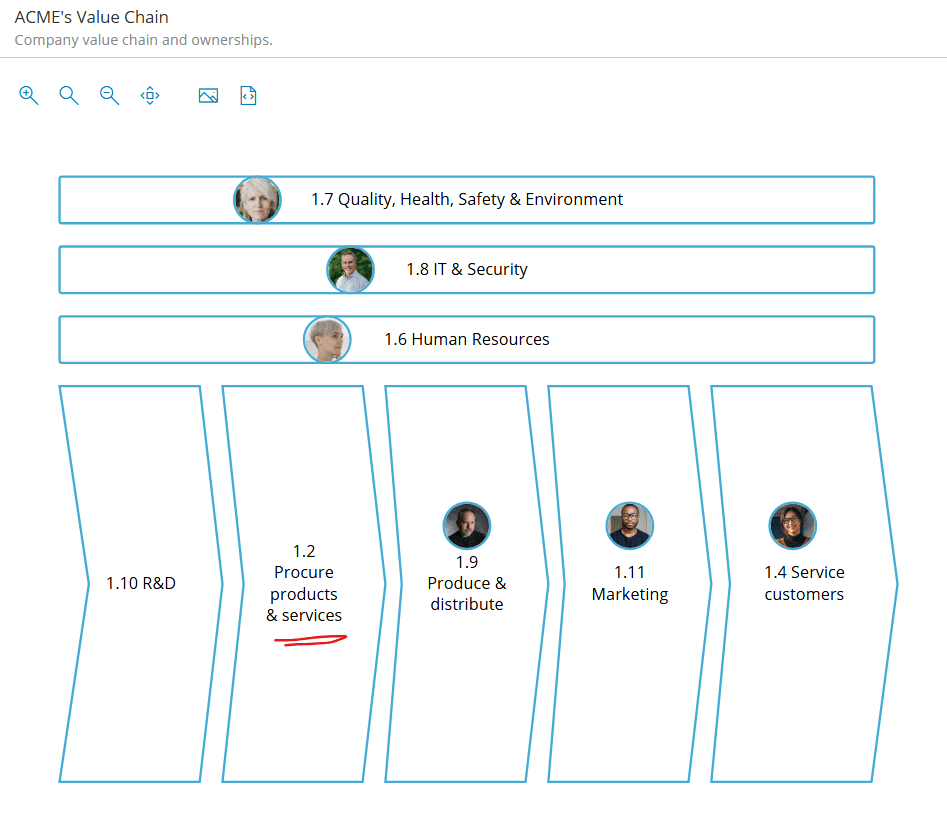
1) Landscape: where the process lives
Your value chain might include an end-to-end area called “Procure products & services”. “Select supplier” sits under that—so leaders can quickly see where procurement fits in value delivery and where to invest.
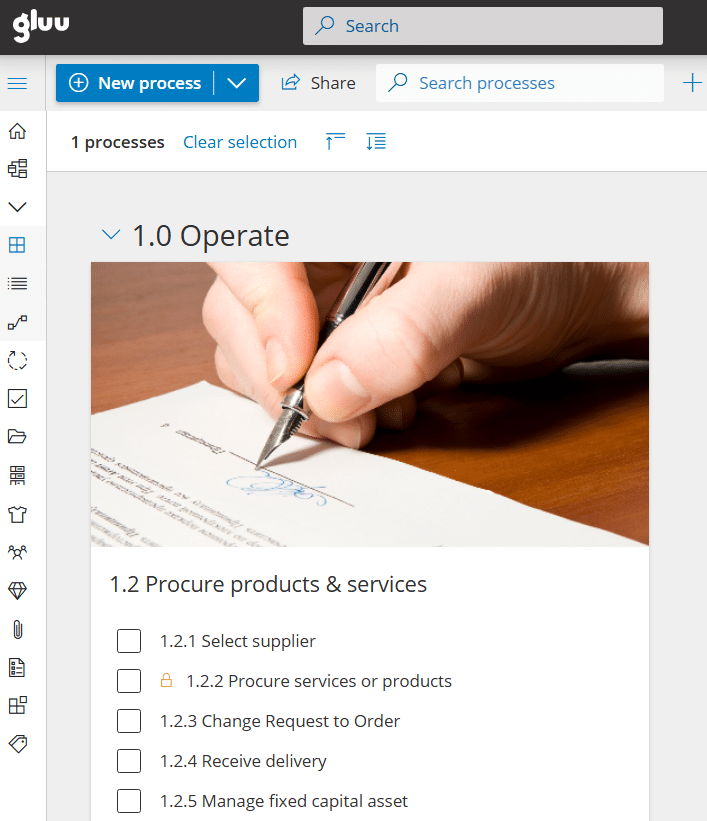
2) Hierarchy: consistent levels and naming
Here’s a realistic hierarchy path that makes scope clear:
L1: Operate the business
  L2: Procure products & services
    L3: Select supplier
      L4: Activities (e.g., Evaluate suppliers, Approve supplier, Register supplier in ERP)
        L5: Work instructions / tasks (e.g., “Register supplier” step-by-step)
Framework tip: Use APQC-style naming at L1–L3, BPMN for L3 process flows, and manage instructions at L4/L5 where people need them.
3) Ownership: keep the process alive
A simple RACI-style setup prevents “orphaned” processes:
- Process owner: Head of Procurement
- Editors: Category Manager + Legal/Quality
- Executors: Buyers
When ownership is explicit, updating processes becomes normal work—not a one-off project.
4) Interfaces: make handoffs explicit
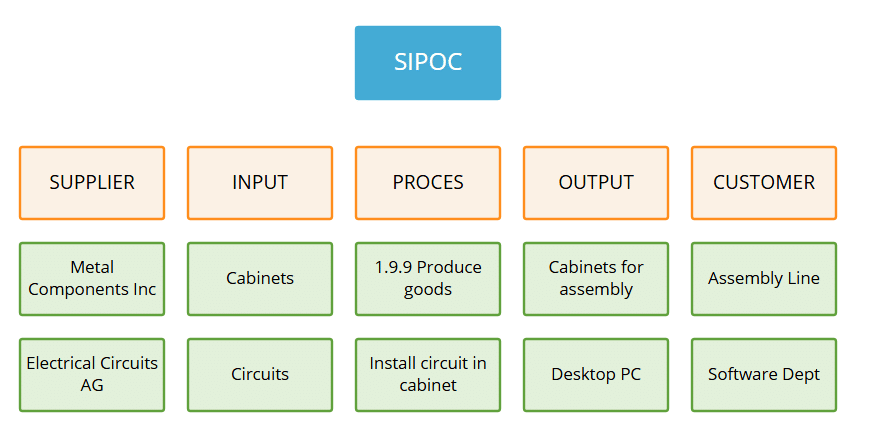
Interfaces are where many delays and errors hide. For “Select supplier,” you might define:
- Trigger: New category need
- Inputs: Requirements, budget range, ESG/quality criteria
- Outputs: Selected supplier + approval decision
- Downstream handoff: “Register supplier in ERP”
Tools: SIPOC for quick scoping, BPMN message flows for cross-team exchanges, and a simple interface catalog to keep it all searchable.
5) Standards: turn maps into standard work
If the activity “Register supplier in ERP” is critical for data quality, attach a short, clear instruction (for example, a 10-step checklist). That reduces rework and makes onboarding faster.
Standards toolkit: SOP/checklist templates, short screen captures, and document control so people always use the latest version.
7) Tech & data: connect process to reality
Automation fails when systems and data objects aren’t clear. Tag each activity with enabling systems and key data objects, such as:
- Systems: ERP supplier module, contract repository, risk screening tool
- Data objects: Vendor master record, due-diligence file, contract
- Integrations: APIs/files between risk tool, ERP, and contract repository
That gives you a practical foundation for digital initiatives—because you know what data and systems each step depends on.
How Business Process Architecture fits into business
Business process architecture creates a practical link between strategy (what you want to achieve) and execution (how work gets done). It connects processes to capabilities, data, and systems so improvements don’t stay local—and automation doesn’t happen in the dark.
Integration with business capabilities, information, and technology
Capabilities describe what the business must be able to do; processes describe how that happens end-to-end. When you tag process steps with key data objects and systems (and integrations), you get a clear foundation for standardization, reporting, and automation.
Linking processes to strategy and organizational goals
A value chain and hierarchy make it easier to pinpoint which processes drive your goals. Then you can attach measurable outcomes (KPIs) and adjust standards and controls where they move the needle.
Governance, accountability, and continuous improvement
Architecture stays valuable when it’s governed: named process owners, lightweight editing rights, and a simple backlog for issues and improvement ideas. That way, the process library stays current and teams can continuously refine how work is done.
When to apply Business Process Architecture
Business process architecture is useful anytime coordination costs rise and work starts breaking between teams. It’s especially valuable in these situations:
Organizational changes, mergers, or restructuring
Mergers and reorganizations often create overlapping processes, conflicting terminology, and unclear ownership. A shared architecture gives you one map, consistent naming, and a clearer basis for standardization decisions.
Process inefficiencies or high error rates
When lead times vary and errors keep returning, architecture helps you expose broken interfaces and missing standards. Then you can place KPIs and controls where they reduce rework at the source.
Digital transformation and automation initiatives
ERP, automation, and AI programs fail when process flow, data definitions, and ownership aren’t aligned. Architecture creates “automation with clarity” by linking the end-to-end flow to systems, data objects, and success measures—so you automate the right work.
Build your own business process architecture from €24 / year
Sign up for a 30-day trial.
No credit card required.
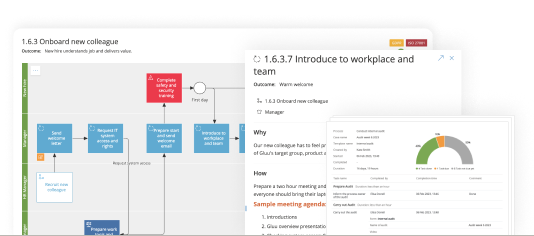
Here’s the Gluu Academy lesson on this topic:
FAQ – Business process architecture
What is business process architecture?
Business process architecture is the structured map of an organization’s processes across levels (L1–L4), including ownership, interfaces, standards, measures, and enabling systems/data. It connects strategy to execution and supports continuous improvement.
What are L1, L2, L3, and L4 processes?
L1 describes the highest-level value chain or domains (the “why”). L2 groups key processes (the “what”). L3 shows the end-to-end process flow and decisions (the “how”). L4 contains execution detail like instructions, checklists, and task guidance so work is done consistently.
What are the 5 elements of business architecture?
A common way to explain business architecture is through five connected elements: strategy (goals and direction), capabilities (what the business must be able to do), processes (how work flows end-to-end), organization (people/roles and governance), and information & technology (data, systems, integrations). Business process architecture is the process-focused backbone that ties these together in daily execution.
When is it time to engage in business architecture or process architecture?
It’s usually time when you face a major change (merger, restructuring, new operating model), recurring inefficiencies (high error rates, long lead times, unclear ownership), or a digital transformation initiative (ERP rollout, automation, AI enablement) where process clarity is required to avoid expensive rework.
What is a practical business process architecture example?
The “Supplier selection” example is typical: it sits inside a procurement value stream, has an L3 owner (Head of Procurement), interfaces to Legal/Quality and ERP onboarding, includes standards (ERP registration checklist), uses KPIs (approval lead time, first-time-right documentation), tags systems/data (ERP vendor master, due diligence file), and runs improvements through a backlog.