ERP implementation: why business processes decide success

An ERP implementation succeeds or fails on business processes, not software. Most projects run over budget and under benefits because nobody can show how work is done today and how the new system will support it. This guide covers why ERP implementations fail, how BPM and ERP fit together, and what to do in each phase.
Key takeaways
- Treat ERP as a business project: the system has to support how work is actually done.
- Most failures come from unrealistic expectations, too little preparation, weak executive alignment and poor change management.
- Map your processes before you configure anything – they become your requirements, test cases and training material.
- BPM describes how work should happen; ERP executes and records it. You need both.
- Keep the process documentation alive after go-live to handle updates and new releases.
Why is ERP implementation a business project, not an IT project?
An ERP system touches finance, sales, supply chain, HR and customer service at once. Its value lies in how well it supports the way those areas work together, not in the software itself. When the implementation is run as a pure IT project, four things tend to happen:
- Misalignment. The system is configured around features rather than business needs, so gaps and workarounds appear.
- Low adoption. Employees resist a system that does not match their daily work.
- Fragmented processes. Hand-offs between departments are never designed, so they break in the new system.
- Cost overruns and delays. Processes have to be reworked late, when changes are most expensive.
Why do ERP implementations fail?
Large projects in general follow what Oxford professor Bent Flyvbjerg calls the iron law of project management: over budget, over time, under benefits – and his database of more than 16,000 projects shows IT projects among the worst offenders. ERP advisor Eric Kimberling and his team analysed more than 1,000 ERP projects and found four recurring causes:
| Reason | What happens | How a process-first approach helps |
|---|---|---|
| Unrealistic expectations | Management underestimates the effort; testing and change management are cut to hit go-live | Map today’s processes so everyone sees the real scope before budgets are set |
| Too little time spent upfront | Excitement about the new system leads to jumping straight into configuration | Agree a process blueprint first – it becomes the basis for contracts and test cases |
| Lack of executive vision and alignment | “Our old system is no longer supported” is the only goal | Set KPIs per process, for example cutting customer onboarding from 3 weeks to 3 days |
| Poor organisational change management | The people side – buy-in, communication, training – is underfunded | Make business stakeholders owners of their processes and involve end users early |
“Dedicate time to establish a blueprint for your business processes. You’re going to save exponentially more money later.”
Eric Kimberling
Example: how SPORT 24 fixed a failed ERP migration
Denmark’s largest sports retailer had already tried to move to Microsoft Dynamics Business Central once – and failed. The post-mortem pointed to one cause: nobody could accurately describe how the business worked. Before the second attempt, 25 employees used Gluu to document 1,000 activities across 100 key processes in two months. The migration succeeded, and SPORT 24 now uses the same process documentation to handle twice-yearly cloud updates. Read the SPORT 24 case.

“We’re no longer guessing how our business works. With Gluu, we gained the clarity we needed to give our company superpowers.” Read case
Lars Elsborg,
CEO, SPORT 24
What is the difference between BPM and ERP?
BPM and ERP are often confused, but they do different jobs – and an ERP implementation needs both.
| Business process management (BPM) | Enterprise resource planning (ERP) | |
|---|---|---|
| Purpose | Describe, govern and improve how work is done | Execute transactions and hold the company’s core data |
| Covers | All processes, including manual steps, decisions and hand-offs | The parts of processes that run in the system |
| Owned by | Process owners in the business | IT and system owners |
| Changes when | The way of working changes | The system is configured, upgraded or replaced |
In short: BPM decides what should happen and who owns it; ERP makes the system-supported parts happen. A well-described process repository is the bridge – it shows which activities the ERP supports, which stay manual, and who is responsible for each. If you are choosing a tool for the BPM side, compare business process management software.
How does BPM support each phase of an ERP implementation?
1. Plan. Spend real time here – plan slow, act fast. Define the objectives, set realistic expectations and decide which processes are in scope. Tag them in your process catalogue so scope changes are visible.
2. Analyse. Map the current processes with the people who do the work, using a framework such as APQC’s Process Classification Framework as a checklist. Assign a process owner to each.
3. Design. Align each process with the ERP’s standard capabilities and identify gaps. Keep customisation to a minimum, especially in cloud ERP, where every customisation makes future updates harder.
4. Migrate data. Clean and migrate data with a defined plan and clear data ownership. The process map shows which business steps are affected if data or integrations fail.
5. Test. Turn the documented processes into test cases and user acceptance tests, run by the end users who will live with the system.
6. Go live and train. Use the process documentation as training material, linked to the work instructions for each step in the new system.
7. Improve after go-live. Keep processes current as the system gets new releases and the business changes. This is where most organisations stop – and where the documentation pays off for years.
ERP project manager Jens Lund Olesen walks through this approach for Dynamics 365 in our webinar:
If you want to build your process foundation before your next ERP project, you can try Gluu free for 30 days.
Gluu free 30-day trial. No credit card required. Start from €24 / year.
What should you document before an ERP implementation?
Before configuration starts, you should have:
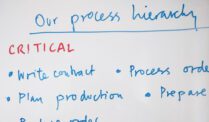
- A process hierarchy of the processes in scope, from value chain down to activities – see our guide to process documentation software.
- A named owner for every process.
- The current flow of each process, including decisions and hand-offs between departments.
- Which steps the ERP will support, which stay manual, and which systems are involved.
- KPIs per process, so you can prove the benefits after go-live.
This is the work ERP project leaders use Gluu for – see how Gluu does this. For the full list of capabilities, see how Gluu helps you enable ERP implementation.
FAQ – ERP implementation and business processes
Most ERP implementations fail because of unrealistic expectations, too little time spent preparing, missing executive alignment and weak change management. The common thread is that the project is run as an IT project instead of a change in how the business works.
Business processes define what the ERP system must support. Documented processes become the requirements, the basis for configuration and testing, and the training material for users, so the system fits the way work is actually done.
BPM describes, governs and improves how work is done across people and systems. ERP executes transactions and holds core business data. BPM decides what should happen; ERP runs the system-supported parts.
BPM maps each process end to end and shows which activities the ERP supports, which stay manual and which other systems are involved. That makes integration needs, data flows and ownership visible before the build starts.
A typical ERP implementation runs through planning, analysis, design, data migration, testing, go-live and training, and continuous improvement after go-live. Process documentation supports every phase.
Document the processes in scope, their owners, the current flow with decisions and hand-offs, which steps the ERP will support, and KPIs per process.
A failed ERP implementation can disrupt operations, overrun budgets, hurt employee morale and affect customers. Many companies end up repeating the project – as SPORT 24 did – this time starting with their processes.