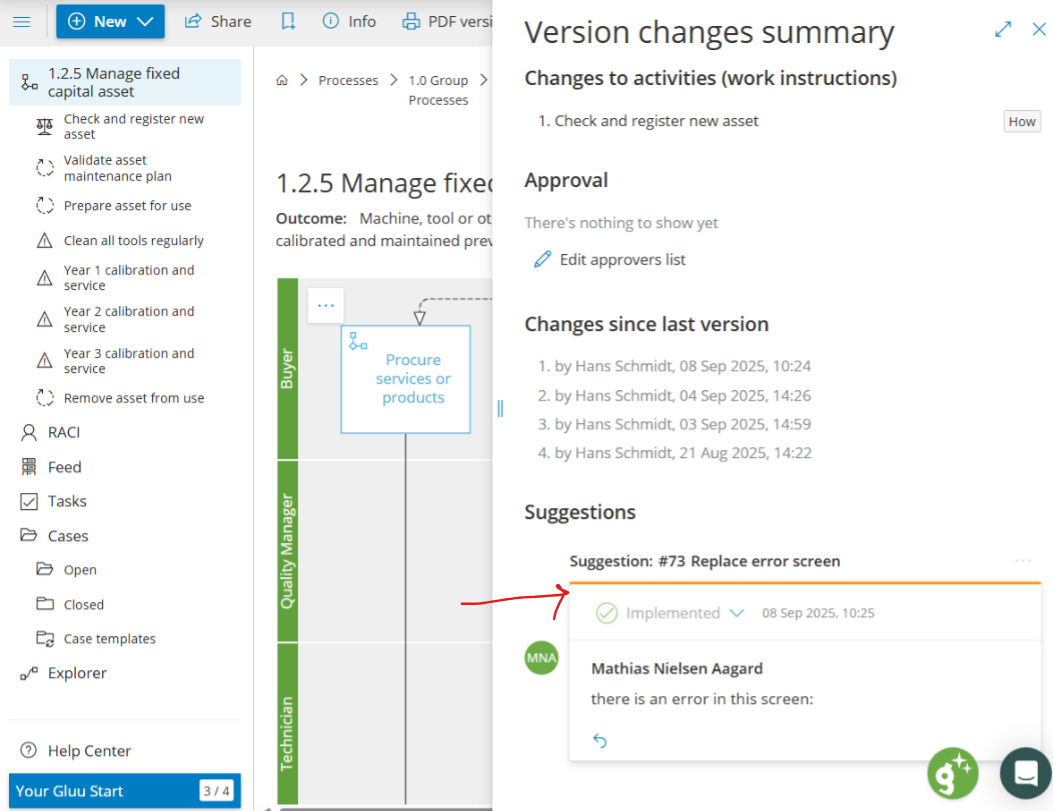
Goal: Move ideas from comment, to change suggestion to implemented version—discuss, approve, implement, and publish with full history.
Version management can start with a change suggestion and flow through discussion, status, implementation, and versioning.
Related: capture ideas via comments. For full versioning, see How to handle versioning in Gluu.
1. Submit a change suggestion #
Any user comment can be turned into a change suggestion – and vice versa.
- Open the process or activity.
- Add a comment or start a change suggestion.
- Convert between comment and change suggestion if needed.
Tip: Comments and change suggestions can be filtered for easy findability.

2. Review and set status #
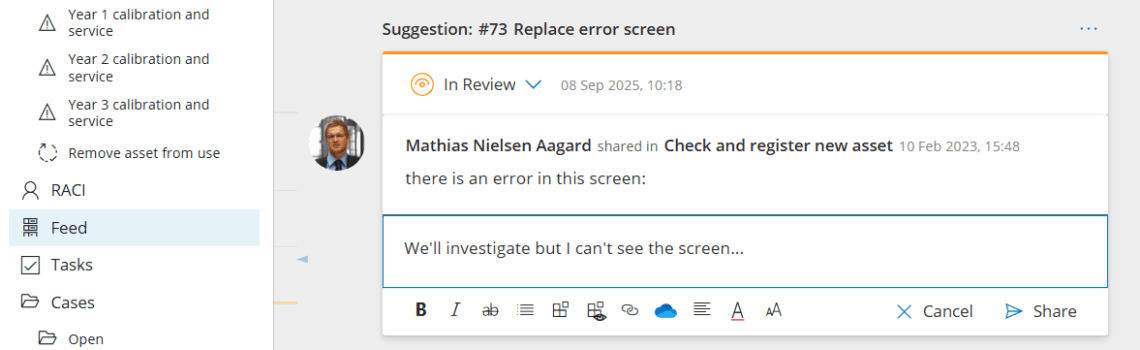
Just like regular comments change suggestions can be discussed through replies inside Gluu:
Discuss the suggestion and add labels and details.
Name / Rename suggestions once the idea is clear and ready for formalisation:
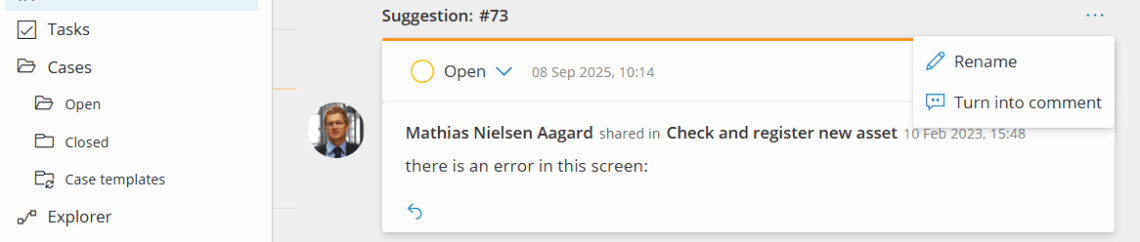
Change status options #
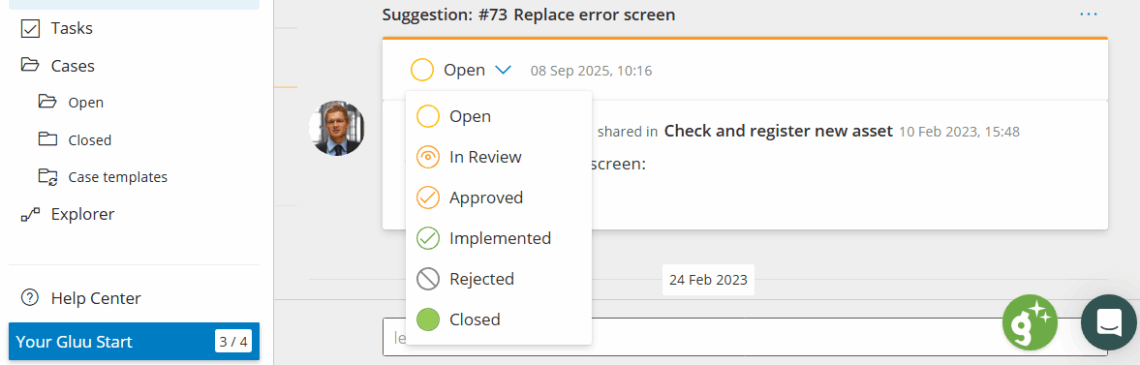
Editors and Owners can use the Change Status selector to manage the change suggestion through its life cycle:
Open – suggestions not reviewed by Editors.
In Reviews – suggestions in review by Editors. This is where discussion typically happens.
Approved – suggestions approved for implementation. Once the suggestion has this status it will show for process editors.
Implemented – suggestions that have been marked as implemented by process editors.
Rejected – suggestions that will not be implemented.
Closed – suggestions that are implemented and published.
3. Implement an approved suggestion #
Go to the process page and put it in Edit mode and open the suggestions panel.
Review approved suggestions and their status.
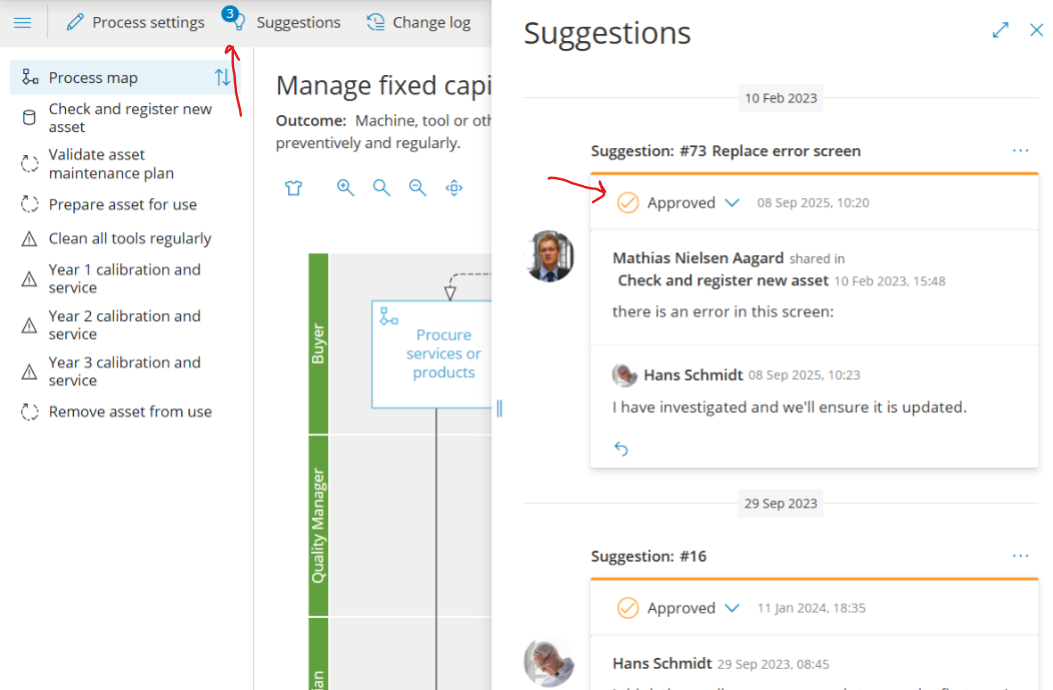
Update the process flow or work instructions and set status to Implemented.
Save and create a version to bundle all changes since the last version.
Name the version; history and discussion are included automatically.
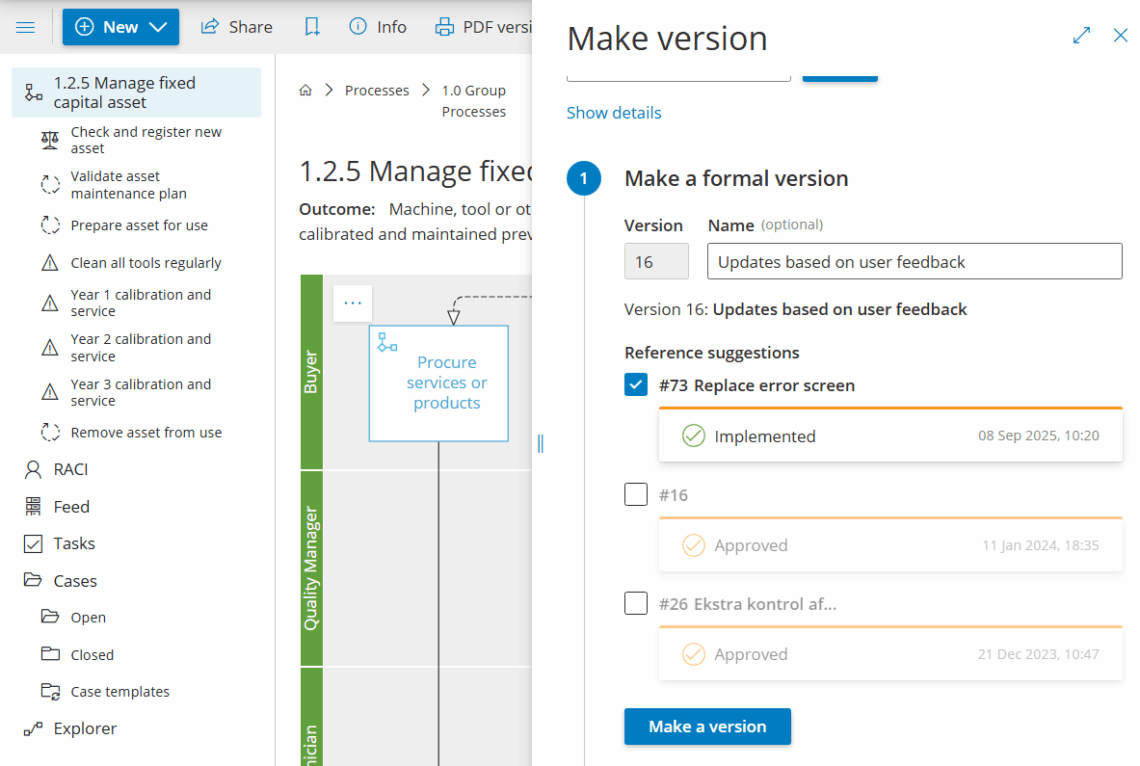
4. See version and change history #
- Open the version update to see the combined change suggestion.
- Click Version changes summary to view the change log.
- Open any revision to compare before/after.