
Account admin
IT
Goal: Import a ready-made process hierarchy from APQC — or another standard framework — then adapt it to your organisation by assigning activities to roles.
Instead of building your process architecture from a blank page, you can start from a proven industry framework. Gluu ships with APQC’s Process Classification Framework already pre-loaded, so you can import a complete hierarchy of categories, groups, processes, and activities in minutes.
Before you start #
- Plan: Importing the APQC framework requires the Advanced plan.
- Role: You need the Manage account permission to open account settings and run the import.
- Setup: No special setup—the APQC framework is pre-loaded in every Gluu account.
Import APQC processes #
The APQC framework is already available in your account — there is nothing to install. You select the parts you need and import them into your process hierarchy.
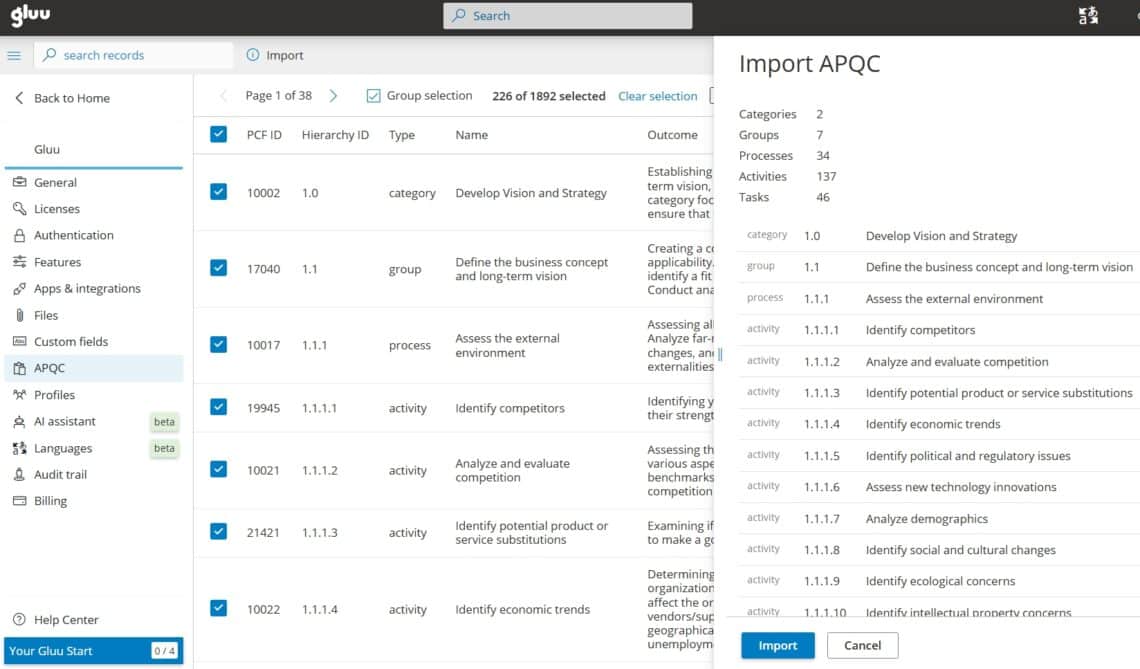
- Go to account settings and open the APQC panel.
- Browse the framework as a table of categories, groups, processes, and activities — each row shows its PCF ID, hierarchy ID, type, name, and outcome.
- Select the items you want. You can pick a whole category or drill down to individual groups and processes.
- Check the summary panel on the right — it counts everything selected so you know the scope before you commit.
- Click Import.
You’re done once the selected categories, groups, processes, and activities appear in your process overview.
How imported processes are organised #
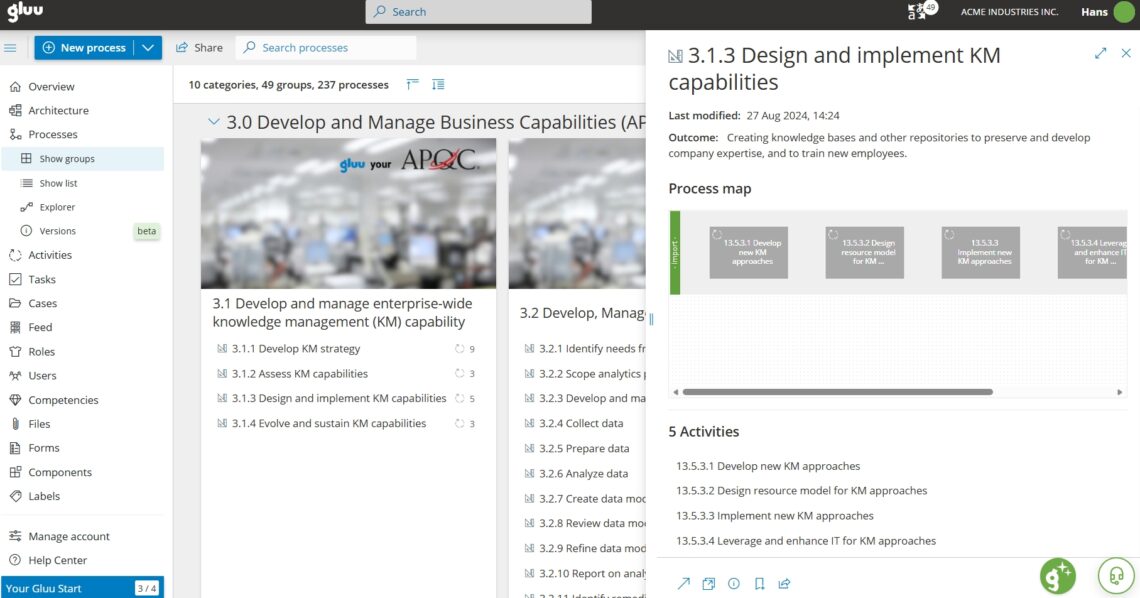
After the import finishes, your selected items appear in the process overview under their framework categories. A category such as “Develop and Manage Business Capabilities” becomes a group of related processes you can open, edit, and publish like any other content in Gluu. From here you can rename groups to match your internal language, remove processes you do not need, and map out each process in the editor.
Assign activities to roles #
There is one thing the framework cannot do for you. APQC describes what work happens, but not who does it. Imported activities therefore arrive without any role assignments, and you need to add these manually.
- Open an imported process.
- Assign each activity to the organisational role responsible for it.
- Where several people touch the same activity, clarify who is responsible, accountable, consulted, and informed.
- Save.
You’re done once each activity shows an assigned role.
Read more: Manage process roles and Use RACI to clarify responsibilities.
Use other frameworks and your own processes #
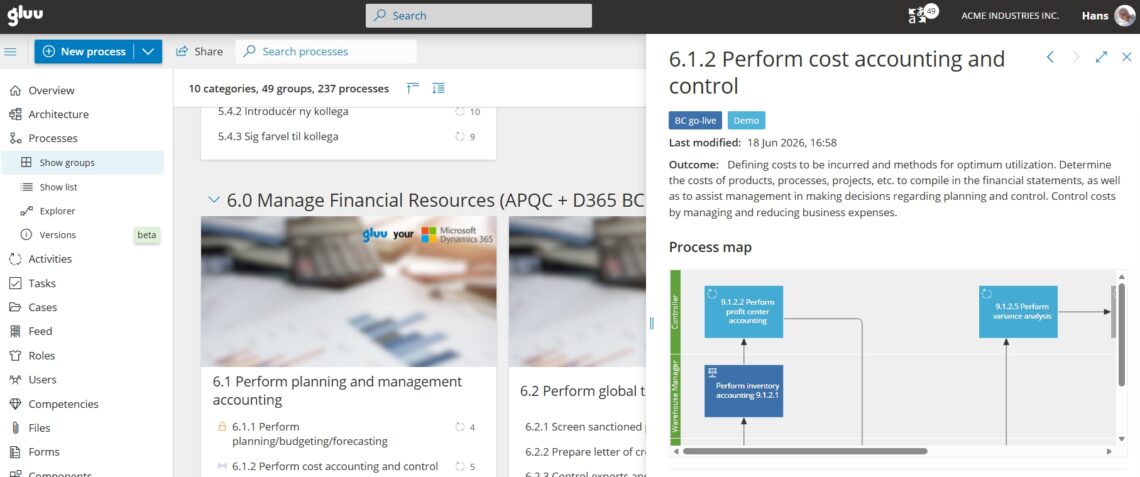
APQC is the default, but it is not the only option. You can build your architecture around ITIL for IT service management, or around the Microsoft Dynamics 365 process catalog when your work is closely tied to that ERP. You can also blend a framework with your own naming — the example below combines APQC’s financial category with Microsoft Dynamics 365 Business Central processes.
Import your own processes from a CSV file #
If your processes already live in a spreadsheet, you can bring them in from a CSV file too. This is handled individually, so contact the Gluu support desk with your file and the team will set up the import for you. It is a useful option when you have an existing catalogue that predates any standard framework.
FAQ – Importing APQC processes into Gluu #
No. The APQC framework is already pre-loaded in every Gluu account. You open the APQC panel in account settings, select the items you want, and import them into your process hierarchy.
APQC defines what work is done, not who does it, so imported activities arrive without roles. You assign each activity to an organisational role yourself, optionally using a RACI matrix to clarify who is responsible, accountable, consulted, and informed.
Yes. You can select a single category, a few groups, or individual processes and activities. The summary panel shows exactly how many items you are about to import before you confirm.
Yes. Gluu also supports frameworks such as ITIL and the Microsoft Dynamics 365 process catalog, and you can combine a framework with your own process names.
Processes in CSV format can be imported on request. Contact the Gluu support desk with your file and the team will set up the import for you.
APQC’s Process Classification Framework® (PCF) is an open standard developed by APQC, a nonprofit that promotes benchmarking and best practices worldwide. The PCF is intended to facilitate organizational improvement through process management and benchmarking, regardless of industry, size, or geography.
Related: API and integration basics


