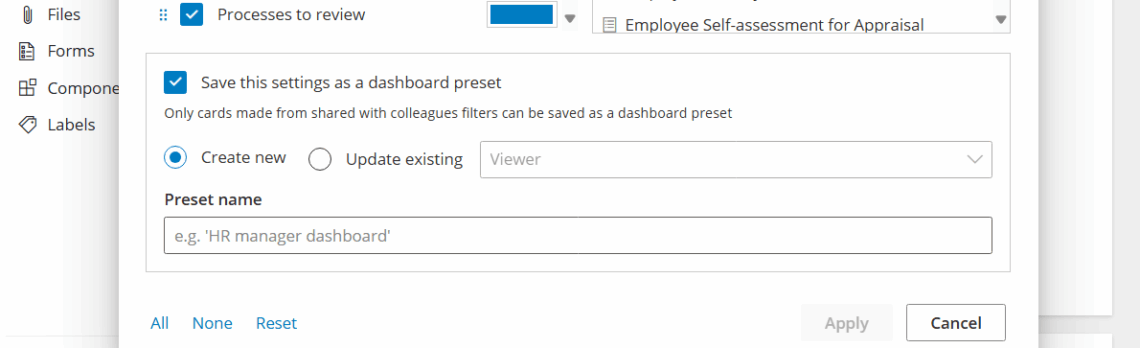
Goal: Customize work overviews in Gluu so each user sees the most relevant tasks, cases, comments and instructions—via presets or a personal overview.
Use presets for common roles, or let users create personal overviews. Combine with Profiles to deliver the right start page for each audience.
Preset work views #
- Viewer – comments and instructions tied to your roles.
- Worker – tasks and cases you work with.
- Process Manager – drafts and latest versions.
- Account Owner – governance across hierarchy and owners.
- Personal – build your own overview.
Set a personal overview #
Create a personal overview using cards fed by saved filters.
- Open the page with the content you want (Processes, Activities, Tasks, Cases).
- Set filters.
- Save the filters.
- Go to Overview and click Settings.

- Add cards from Saved filters.
- Drag and drop to reorder.
- Uncheck cards to hide.
- Adjust columns (e.g., set a card to three columns for full width).
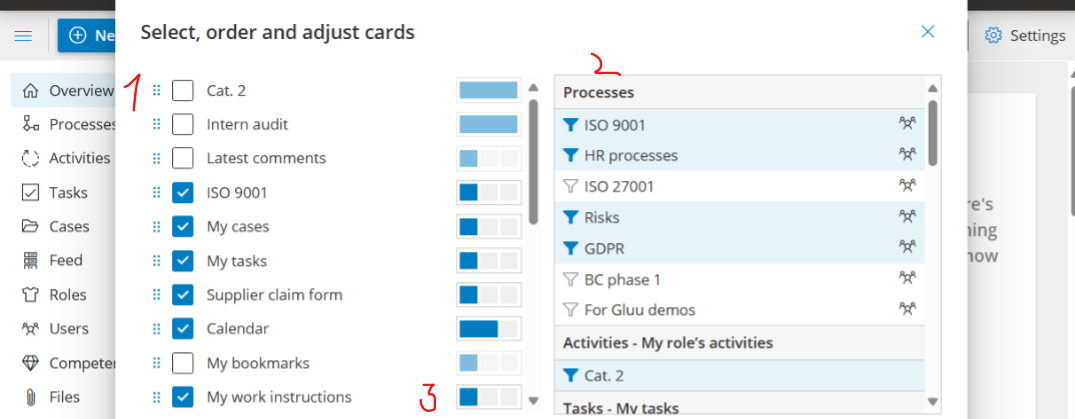
Tip: Add task calendars for specific roles, cases you’re in, key instructions, bookmarks, and more.
Show selected form data #
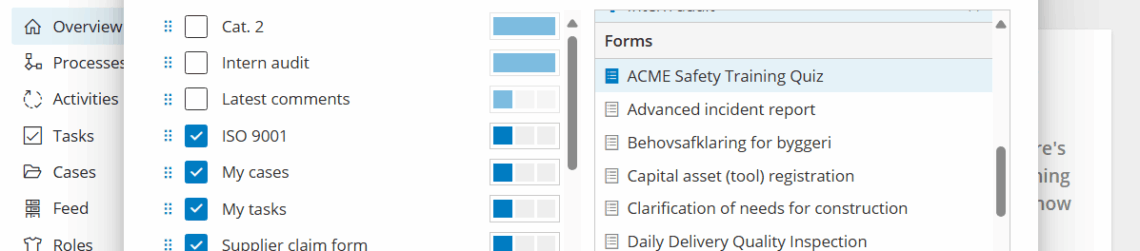
- Go to Overview > Settings and click Add card.
- Select a Form from the list.
- Open the card’s Settings.
- Choose the fields to display.
- Filter on fields to include specific values.
Note: Your Personal overview is private.
Edit or create presets #
Only Account Owners have this option:
- Select the preset.
- Click Settings.
- Modify cards, layout, or filters.
- Save to share with all users.
- (Optional) Disable presets in Account settings.