
Goal: Use BPMN 2.0 in Gluu to model complex flows with standard symbols.
BPMN 2.0 is a common language for modeling business processes. Enable it to use full BPMN 2.0 when creating new processes.
Enable BPMN 2.0 #
Go to account settings and check “BPMN2 mode enabled”.
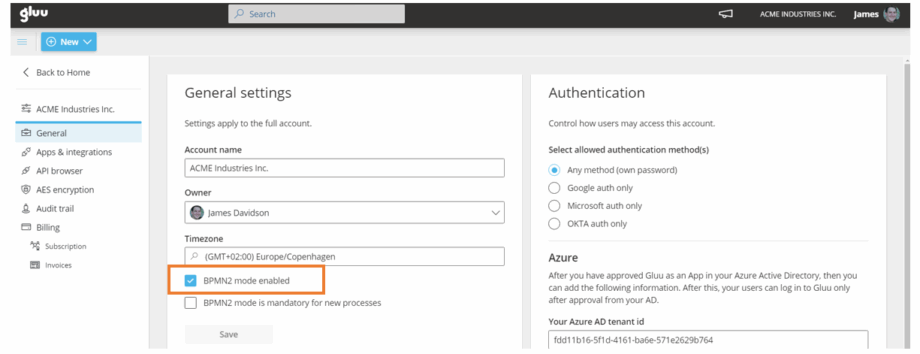
(Optional) Make BPMN 2.0 mandatory for new processes by checking “BPMN2 mode is mandatory for new processes”.
BPMN 2.0 quick reference #
Below is an overview of the basics shapes available.
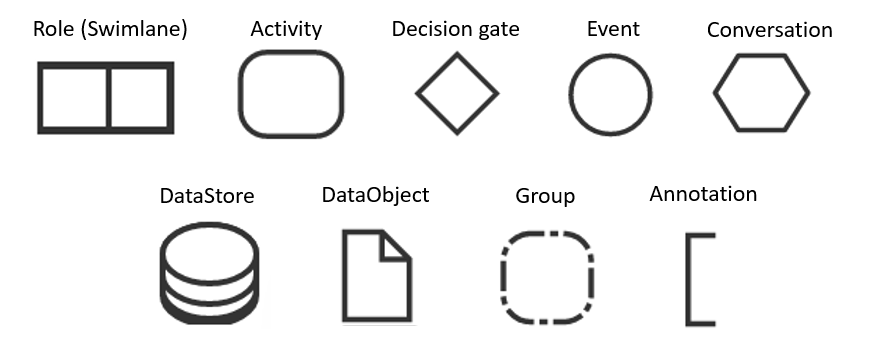
- Swimlane — shows the role.
- Activity — work performed in the process.
- Decision gate — split/merge flows.
- Event — start, intermediate, or end event.
- Call conversation — wrapper for global conversation/sub-conversation.
- DataStore — store/access process data.
- DataObject — information flowing (docs, emails, letters).
- Group — organize related tasks.
- Annotation — add explanatory notes.
Activities #
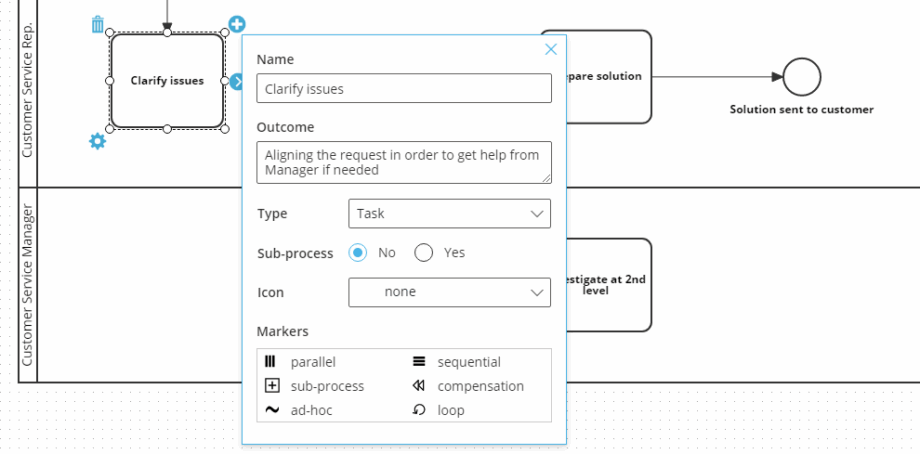
Name the activity, define its outcome, then set type, icon, and markers.
Activity types:
Task — basic, not broken down further.
Transaction — involves payment.
Call activity — reused in multiple places.
Sub-process — a group of related tasks.
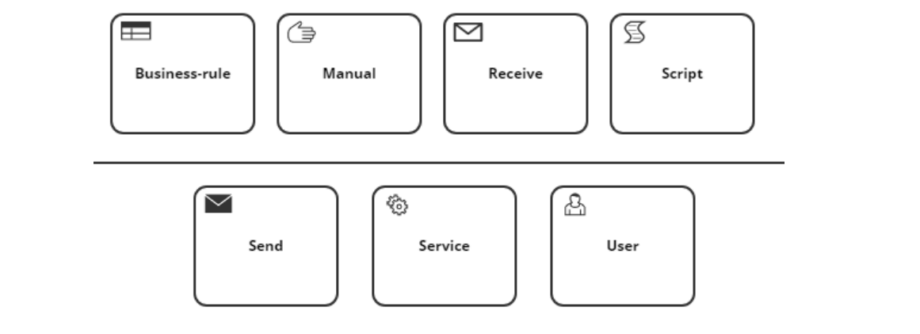
Icons signal activity behavior (see image).
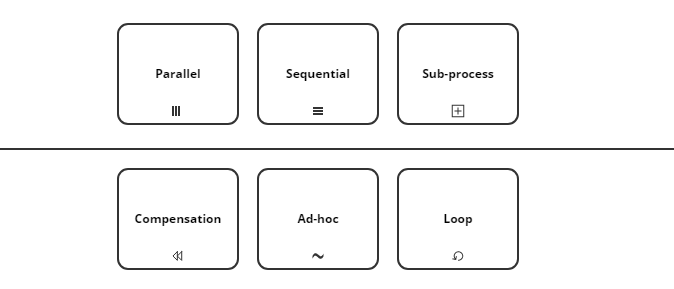
Markers define sub-process behavior and reduce complexity (see image).
Decision gates #
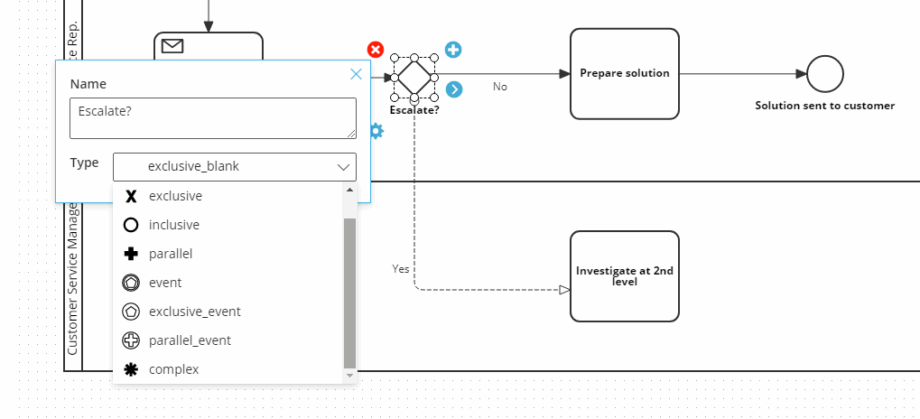
Use gateways (8 types) to split and merge flows. Learn about exclusive vs. other gateway types in this article.
Events #
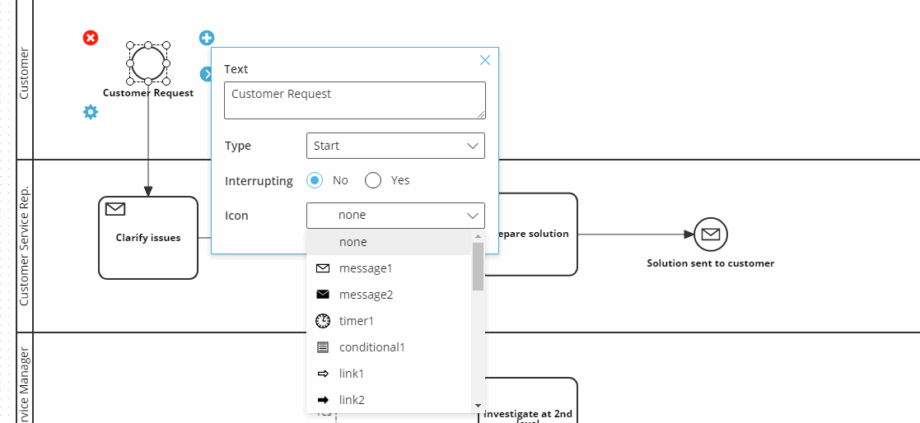
Choose start, intermediate, or end events, and whether they interrupt. Add icons to clarify intent.
Conversations #
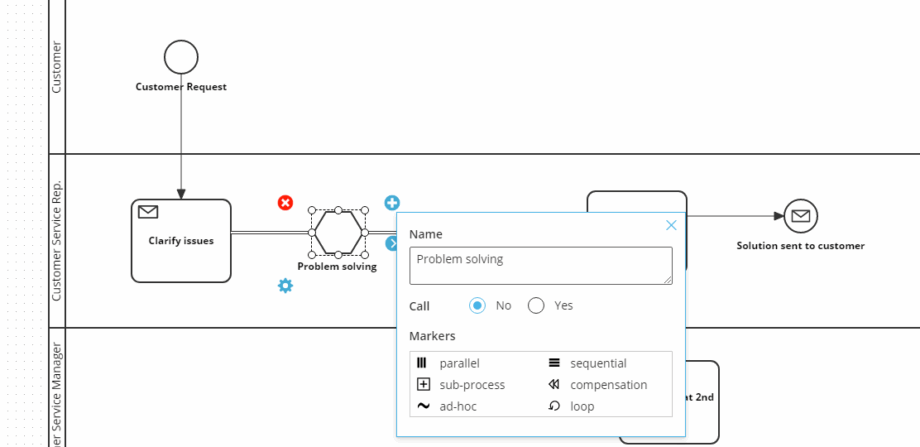
Mark conversations as parallel, sequential, sub-process, compensation, ad-hoc, or loop.
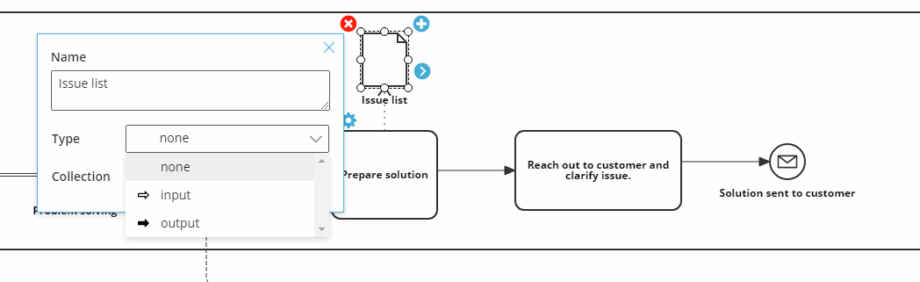
Data Objects #
Choose none, input, or output. Optionally mark as a collection.
Video guide #
Below is a video guide that covers the basic use of BPMN 2.0 in Gluu:


