
Goal: Use BPMN 2.0 in Gluu to model complex flows with standard symbols.
BPMN 2.0 is a common language for modeling business processes. Enable it to use full BPMN 2.0 when creating new processes.
New to process mapping? See Map a process for the basics first.
Before you start #
- Plan: Full BPMN 2.0 notation is available on all plans (Core, Essential, and Advanced).
- Role: You need the Manage account permission to enable BPMN 2.0 for your account. Once enabled, anyone who can edit a process can choose BPMN 2.0 notation.
- Setup: An admin must turn BPMN 2.0 on in Account settings before it appears in the process editor—see “Enable BPMN 2.0” below.
Enable BPMN 2.0 #
You need the Manage account permission to change this setting. Go to Account settings → General and check “BPMN2 mode enabled”.
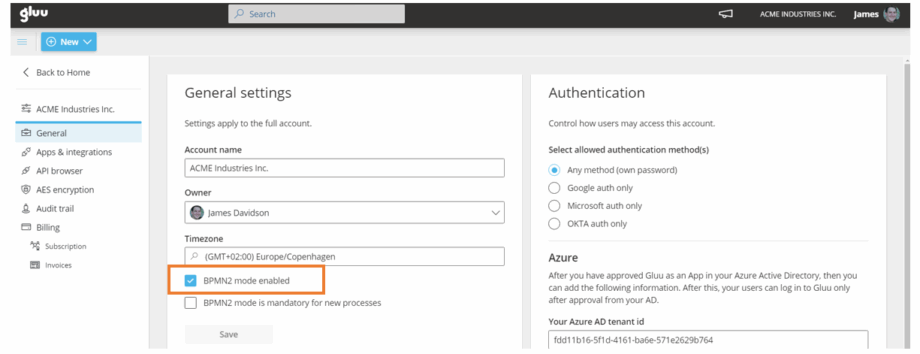
(Optional) Make BPMN 2.0 mandatory for new processes by checking “BPMN2 mode is mandatory for new processes”.
You’re done once “BPMN2 mode enabled” is checked and saved—the full BPMN 2.0 shape palette becomes available when editing processes.
BPMN 2.0 quick reference #
Below is an overview of the basic shapes available.
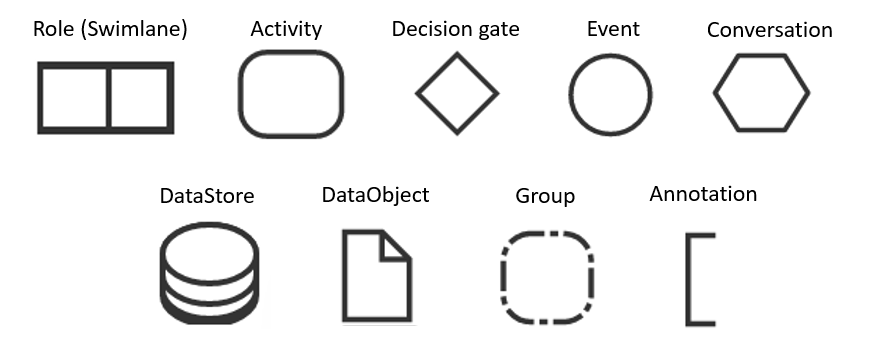
- Swimlane — shows the role.
- Activity — work performed in the process.
- Decision gate — split/merge flows.
- Event — start, intermediate, or end event.
- Call conversation — wrapper for global conversation/sub-conversation.
- DataStore — store/access process data.
- DataObject — information flowing (docs, emails, letters).
- Group — organize related tasks.
- Annotation — add explanatory notes.
Activities #
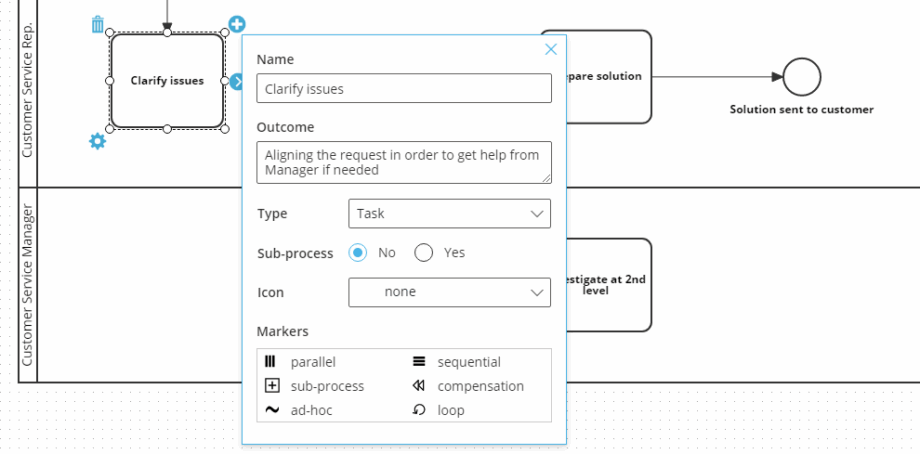
Name the activity, define its outcome, then set type, icon, and markers.
Activity types:
- Task — basic unit of work, not broken down further.
- Transaction — involves payment or a transactional commitment.
- Call activity — reused in multiple places across processes.
- Sub-process — a group of related tasks that can be expanded or collapsed.
Icons signal activity behavior — including loop, multi-instance, compensation, and call markers:
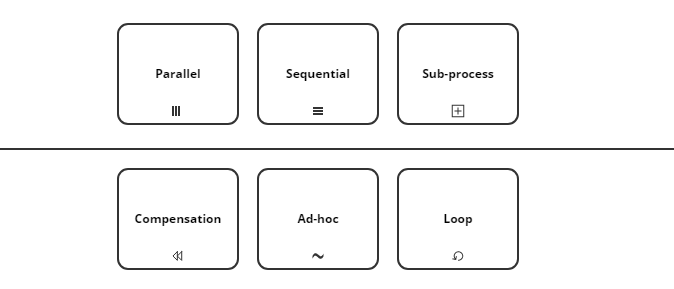
Markers define sub-process behavior and reduce visual complexity — including loop, parallel multi-instance, sequential multi-instance, compensation, and ad-hoc markers:
Decision gates #
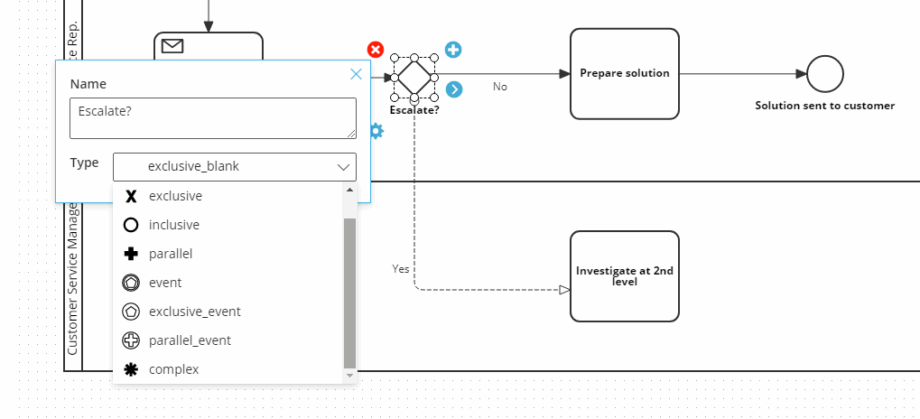
Use gateways (8 types) to split and merge flows, including exclusive, inclusive, parallel, event-based, and complex gateways. For a detailed explanation of gateway types, see the official BPMN resource.
Events #
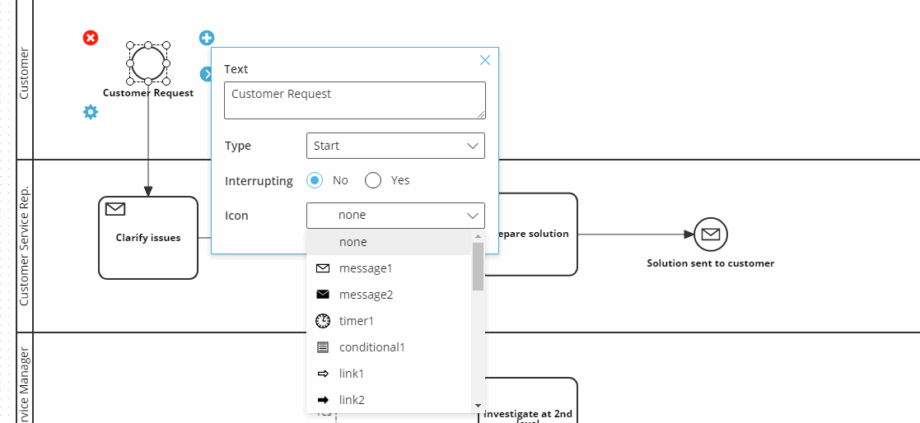
Choose start, intermediate, or end events, and whether they interrupt. Add icons to clarify intent.
Conversations #
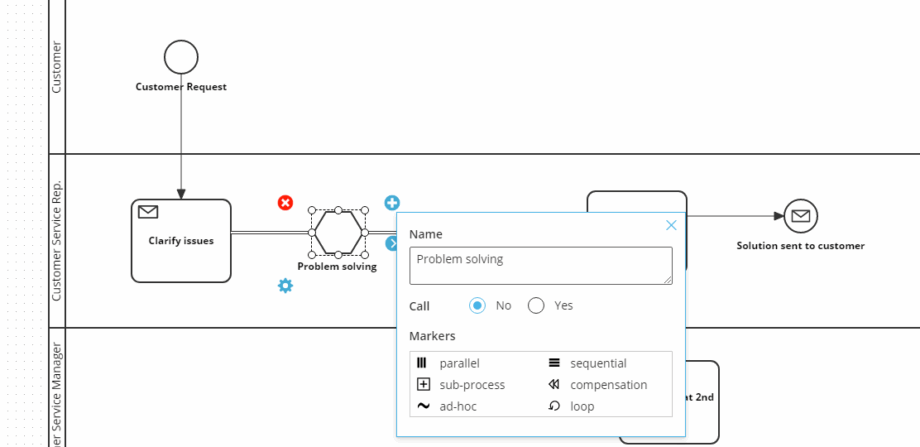
Mark conversations as parallel, sequential, sub-process, compensation, ad-hoc, or loop.
Data objects #
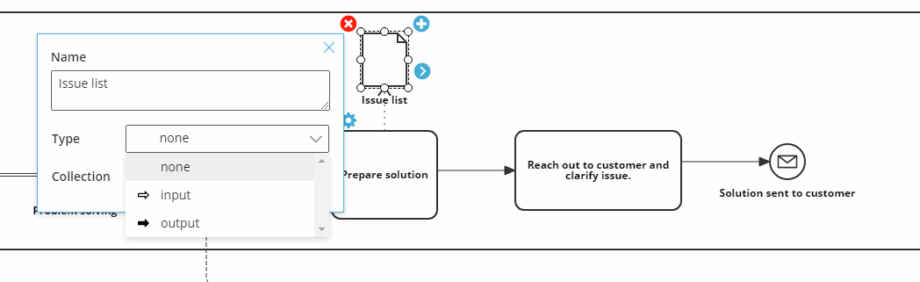
Choose none, input, or output. Optionally mark as a collection.
Video guide #
Below is a video guide that covers the basic use of BPMN 2.0 in Gluu:
FAQ – BPMN 2.0 in Gluu #
Yes. Full BPMN 2.0 notation is available on all plans — Core, Essential, and Advanced. You enable it in Account settings → General by checking ‘BPMN2 mode enabled’. You need the Manage account permission to change this setting.
Enabling BPMN 2.0 makes the full shape palette available as an option when editing processes — users can switch between Gluu standard notation and BPMN 2.0 within the editor. Making it mandatory means all new processes are created in BPMN 2.0 mode by default, with no option to switch back to the simpler notation.
A Task is the basic unit of work — a single, atomic activity that is not broken down further in the diagram. A Sub-process contains a group of related tasks that can be expanded to show its internal flow, or collapsed to a single shape to reduce visual complexity. Use Sub-process when a part of the flow is complex enough to warrant its own diagram.
An exclusive gateway (XOR) means only one outgoing path is taken — the flow goes down one branch depending on a condition. A parallel gateway (AND) means all outgoing paths are taken simultaneously. Use exclusive when only one outcome is possible at a decision point; use parallel when multiple things happen at the same time.
Yes. Gluu can export processes as SVG files, which can be imported into Microsoft Visio and other BPMN-compatible tools. Processes from Visio saved in BPMN format can also be imported into Gluu.
Gluu standard notation is based on BPMN 2.0’s basic level and is designed for business users — it uses a smaller set of shapes that are easier to read without prior knowledge. Full BPMN 2.0 gives process specialists access to more than 55 shapes for modeling complex flows precisely. Use standard notation for everyday business processes; use full BPMN 2.0 when you need precise technical modeling or need to share diagrams with external stakeholders who use BPMN tools.


