
Goal: Let external participants complete assigned tasks without learning the full Gluu app.
Requirement: You must be a process owner or editor to see the Share button.
What collaborators see #
External users get a simplified “Gluu Execute” view showing only cases with tasks personally assigned to them. They can view work instructions, complete tasks, and attach files/images.
This is the collaborator’s case overview:
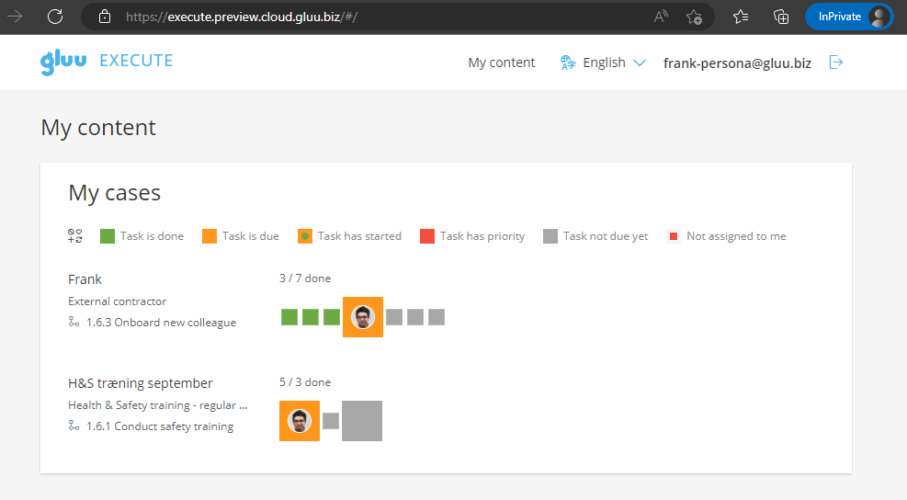
This is the view when clicking a case:

Ways to share #
You can share either the full process (for licensed users with a role) or specific tasks (any email, no account needed).
Share the full process #
This is only possible for licensed users.
Open the case and click Share.
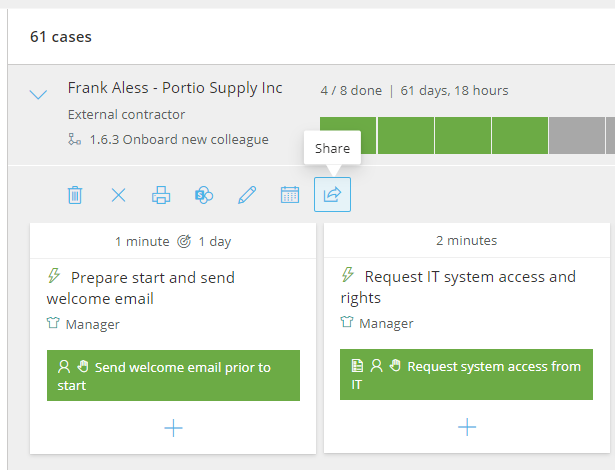
Select the user, then copy the generated URL and PIN code.
Send the URL to the user.
The user can now access all cases they’re part of.
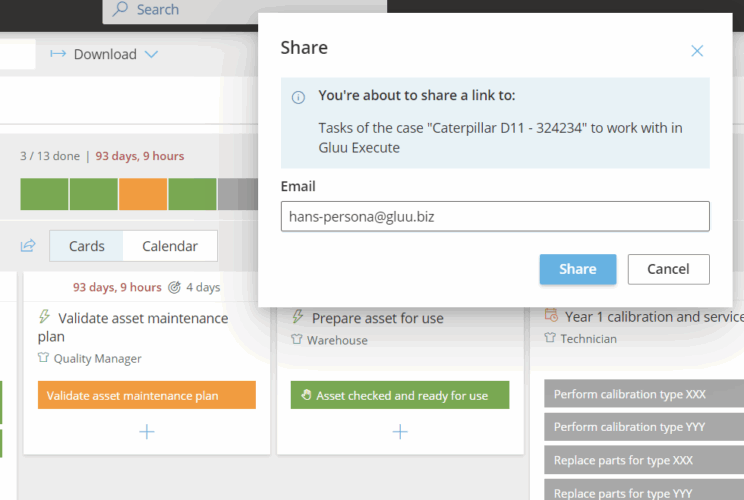
Share a specific task #
This can be shared with any email:
- Open the task and click the Share icon.
- Enter the external person’s email.
- Choose what to include (task, files, work instructions). Click Advanced settings to remove elements you don’t want to share.
- Copy the generated link and add a message for the recipient.
- The external collaborator opens the link and is taken directly to a simplified Execute view—no sign-in required. If they’re not a Gluu user, their actions are stored by email address (no name in reports).
Video guide #
Below is a webinar recording with a comprehensive overview of this use case:


