
●●●Advanced
Process owner
Goal: Let external participants complete assigned tasks without learning the full Gluu app.
Requirement: You must be a process owner or editor to see the Share button.
Before you start #
- Plan: Sharing cases and tasks with external collaborators requires the Advanced plan.
- Role: You need to be a process Owner or Editor to see the Share button.
- Setup: No special setup for the recipient – an external collaborator needs only the link (and PIN, for full process access) you send them, no Gluu account required.
What collaborators see #
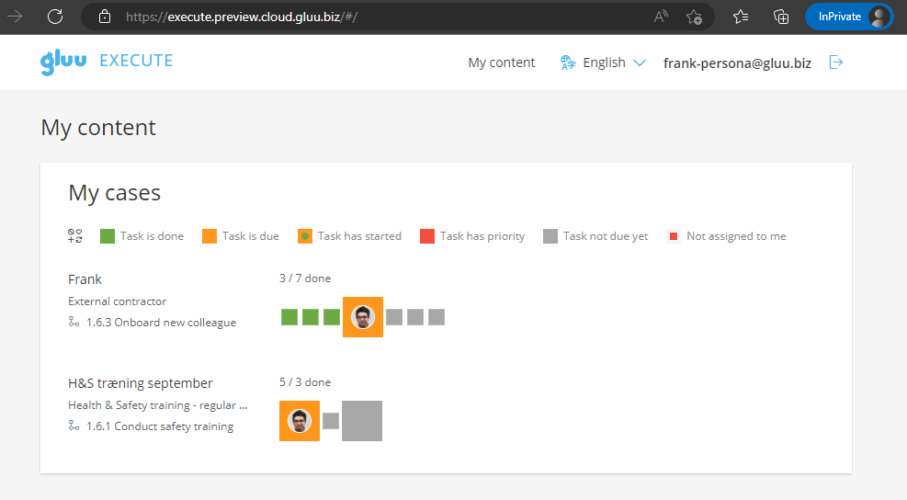
External users get a simplified “Gluu Execute” view showing only cases with tasks personally assigned to them. They can view work instructions, complete tasks, and attach files/images.
This is the collaborator’s case overview:
This is the view when clicking a case:

Ways to share #
You can share either the full process (for licensed users with a role) or specific tasks (any email, no account needed).
You can also add external users directly to a case team when you set up a case. They are created as external users rather than picked from your user list. Read more in Assign case tasks with case teams and template users.
Share the full process #
This is only possible for licensed users.
Open the case and click Share.
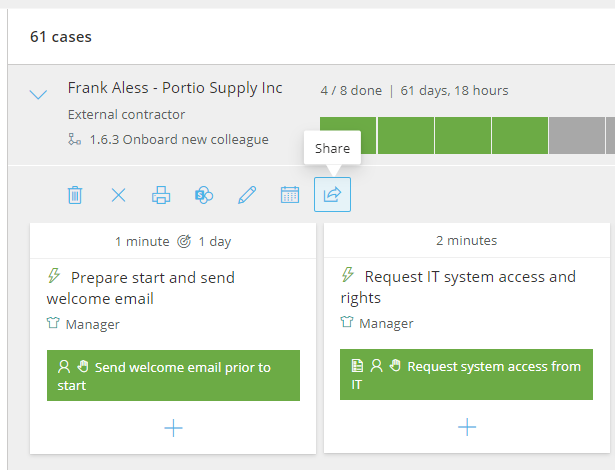
Select the user, then copy the generated URL and PIN code.
Send the URL to the user.
The user can now access all cases they’re part of.
You’re done once the user opens the URL with their PIN and can see all the cases they’re part of.
Share a specific task #
This can be shared with any email:
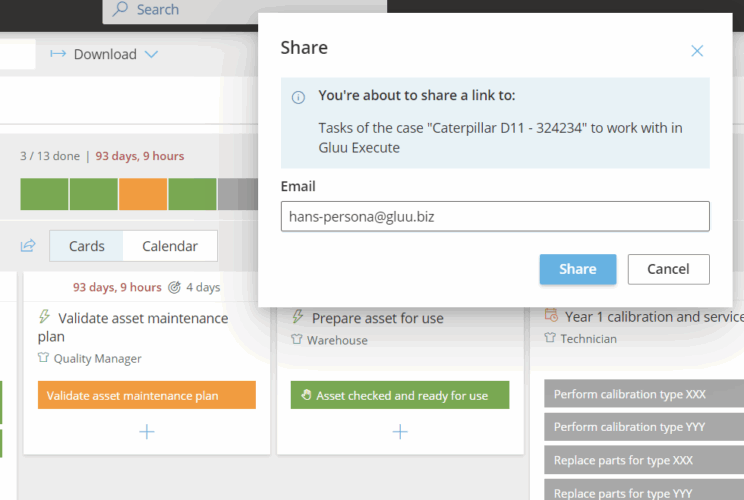
- Open the task and click the Share icon.
- Enter the external person’s email.
- Choose what to include (task, files, work instructions). Click Advanced settings to remove elements you don’t want to share.
- Copy the generated link and add a message for the recipient.
- The external collaborator opens the link and is taken directly to a simplified Execute view – no sign-in required. If they’re not a Gluu user, their actions are stored by email address (no name in reports).
You’re done once the recipient opens the link and can complete the shared task without signing in.
Video guide #
Below is a webinar recording with a comprehensive overview of this use case:
FAQ – External collaborators #
Sharing with external collaborators requires the Advanced plan, since it's built on cases and tasks, which are themselves Advanced-only features.
You need to be a process Owner or Editor to see the Share button. Members and other users don't have access to sharing.
No. Sharing a specific task works with any email address and requires no account or sign-in – the recipient just opens the link. Sharing a full process, however, is only available to licensed users.
They get a simplified 'Gluu Execute' view showing only the cases with tasks personally assigned to them. They can view work instructions, complete tasks, and attach files or images – nothing else in the account.
If they're not a Gluu user, their actions are stored by email address rather than by name, so reports will show the email rather than a named user.
Yes. When sharing a specific task, choose what to include – task, files, work instructions – and use Advanced settings to remove any elements you don't want the recipient to see.


