
Goal: Connect Gluu to analytics, RPA and other systems via our REST API, with clear guidance on tokens, schema, class types and caseworkflow endpoints.
You can use the API for Power BI, data analytics or integrations with RPA tools.
Get an API token #
- Go to Account Settings > Apps & Integration > API Integration.
- Click Settings to generate the authorization token. (Account Owner/Admin required.)
- Store the token securely.
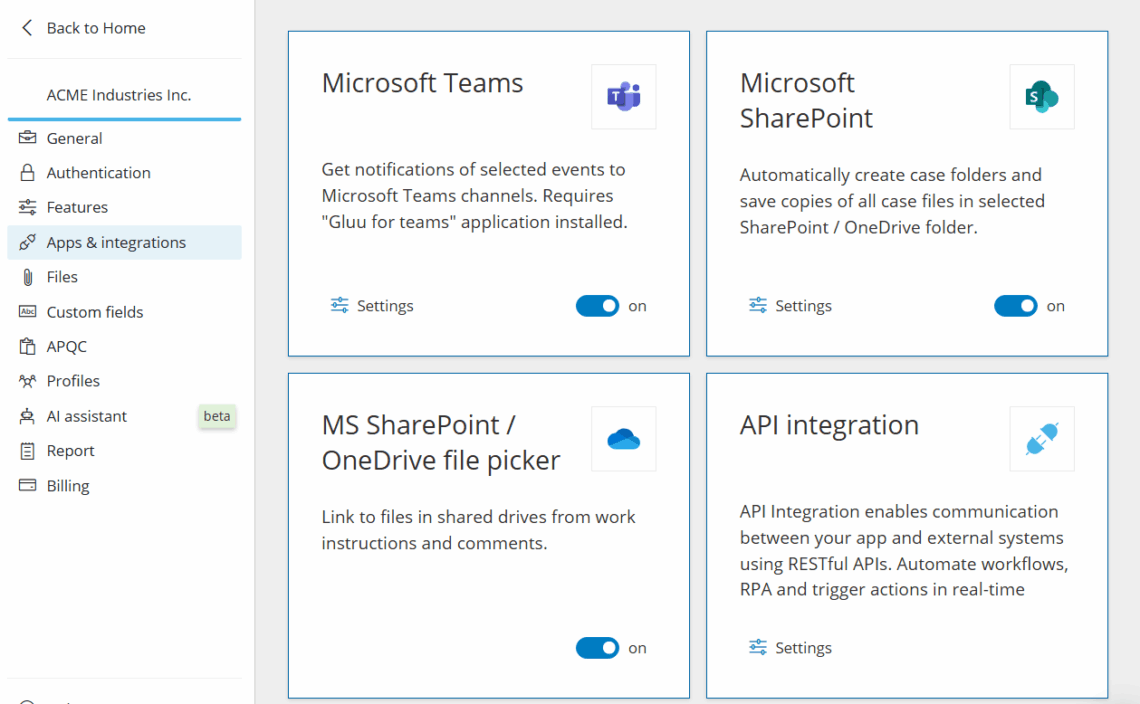
Use read-only tokens for reads. For writes, create an impersonated token so changes are logged as that user.
Open API specification #
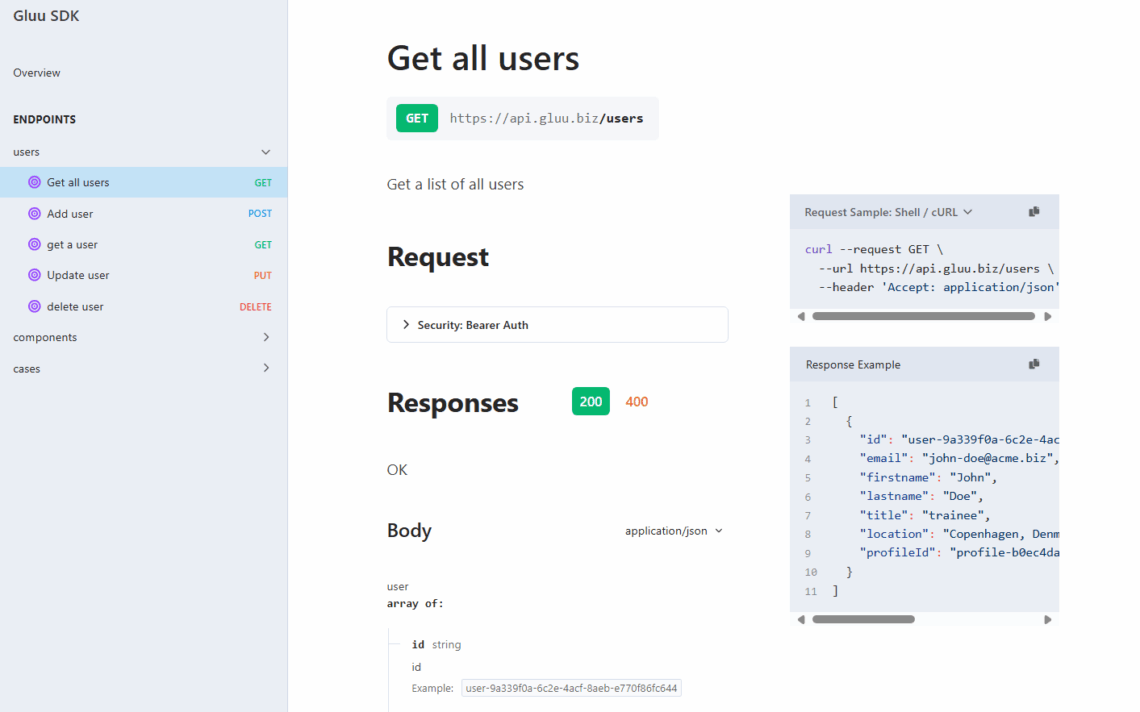
Browse the API here: api.gluu.biz/api-browser
Schema basics #
All access is over HTTPS from https://api.gluu.biz. Requests/Responses are JSON. Timestamps are UTC, ISO 8601:
YYYY-MM-DDTHH:MM:SSZ
Entities include a class and id:
{
  "_class": "component",
  "_id": "custcomp-3067881d-72fd-41f4-8123-2ef1ec827f9c",
  "prop1": "..."
}
Reduce payloads by filtering to specific classes you need.
Class types #
/data queries return arrays where each object has a _type, e.g.:
- category
- group
- process
- activity
- form
- formversion
- formdata
- task
- caseworkflow
- user
- suggestion
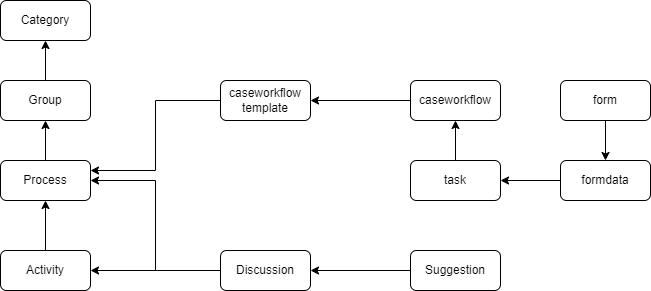
Hierarchy of class types #
Understand parent/child relationships to plan queries and joins.
Caseworkflow API overview #
Caseworkflows are human-driven. You can start and track them via API and react to events with webhooks.
Start a caseworkflow #
Use this endpoint to start a caseworkflow from a template: API: start caseworkflow.
Webhooks #
- Triggers: Completed caseworkflow task, Completed scheduled task.
- Configure under Manage account > Apps and integrations > Webhooks.
- Events are delivered once.
EventIdis unique. Payload contains IDs (not expanded data). - After receiving an event, look up details, e.g. task lookup API.
Complete a task #
You can programmatically complete a task the same way as submitting it in Gluu. Submitting form data via API is not supported—forms should be completed by users.


