
Process improvement
Turn revisions into named, approved versions
Gluu’s process versioning and approval software turns any Process or Activity revision into a named version, with proper control over who can publish it, an approval flow for sign-off, and a one-click communication to the people it affects. Every plan already keeps a full audit trail; this add-on turns that trail into version control you can act on.
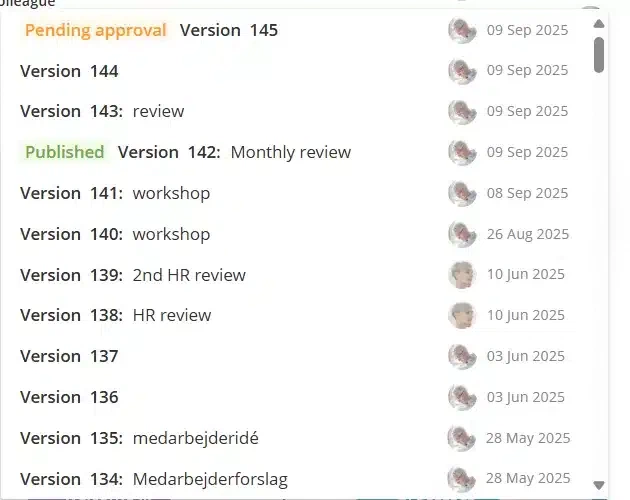
What it is
Every Gluu plan keeps a full audit trail automatically - each edit to a Process or Activity is saved as a revision, so nothing is ever lost. The Versioning add-on builds on that foundation, as part of Gluu’s wider process improvement loop: it lets you turn a revision into a named, formal version, gate it behind a configurable approval flow, and restore an earlier version if something needs to be undone.
Versioning and approvals work the same way for Processes and for the work instructions (Activities) nested inside them - so a critical SOP change gets the same formal control as the process it belongs to, without forcing every minor edit through the same ceremony.
Why it matters
Speed and control aren’t a trade-off
Built like a sports car’s brakes
A sports car isn’t fast despite its brakes - the brakes are what let it push hard into a corner and still stop in time. Gluu’s versioning add-on works the same way: teams keep shipping process and work instruction updates quickly, and apply a real approval brake exactly where a change needs one.
One setting per process, not one policy for all
A process can be set to no approval, automatic release once approvers sign off, or manual publishing you control yourself. A small fix to a low-risk work instruction doesn’t need the same ceremony as a change to a regulated safety procedure.
Decentralize ownership, keep the oversight
Process and Activity owners publish their own changes without a ticket to IT or quality. An account-wide approver can still be locked in wherever it’s genuinely needed, and every version keeps a record of who changed what and who signed off.
How it works
How do versioning and approvals work in Gluu?
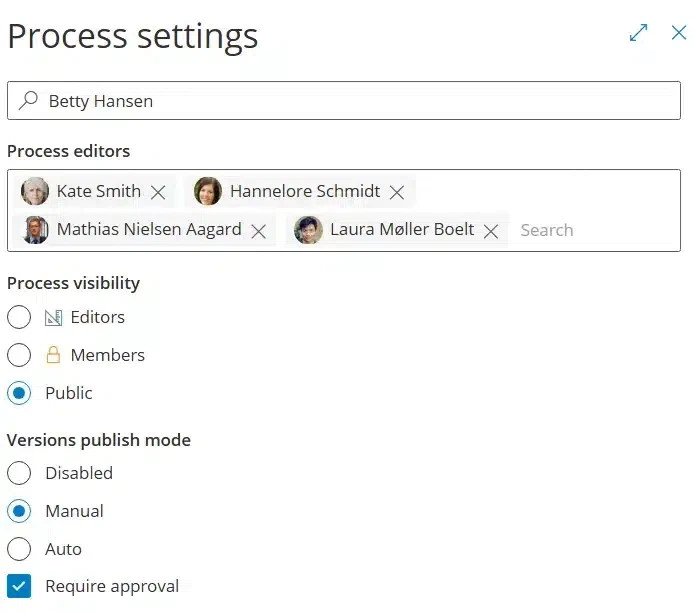
Set the approval rule per process
Every process, or activity, can be set to Disabled, Automatic or Manual approval - plus an account-wide approver for anything that must always be reviewed by a specific role, like a Quality Manager. It’s set once per process, not re-decided every time someone submits a change.
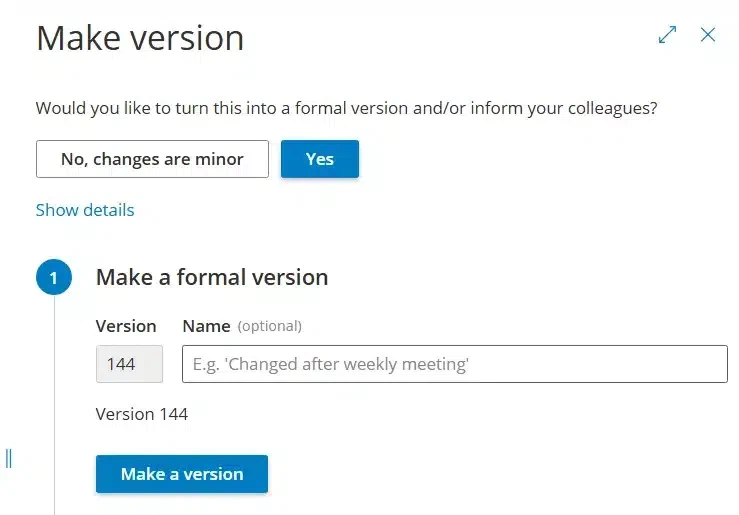
Turn the edit into a named version
Click Make version in edit mode and give it a name, or let Gluu number it automatically. Everything below that point becomes one formal, published version instead of a string of untracked edits.
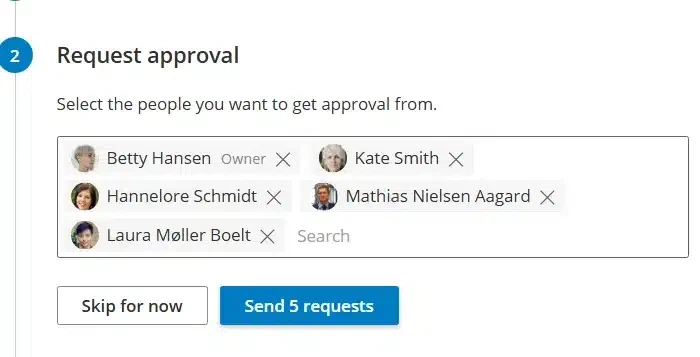
Route it to the right approvers
Gluu adds the process Owner and Editors as approvers by default; add or remove people as needed, then send the request. Approvers get it in their activity feed and can compare exactly what changed before they sign off.
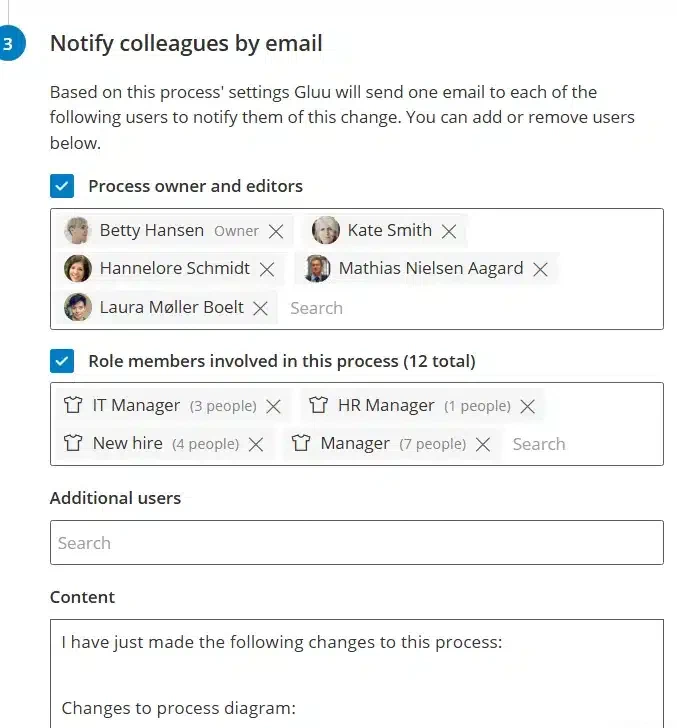
Publish and notify the people affected
Once approvals are in, the version publishes automatically or on your call, and a one-click change communication notifies exactly the people and roles the update affects - no separate email required.
Availability
Frequently asked questions
Does every process need approval before it’s published?
What’s the difference between a revision and a version?
Who approves a new process version?
Can we require one approver across every regulated process?
Does versioning and approval work for work instructions, not just processes?
Can we go back to an earlier version if something breaks?
All Features