
Process improvement
Change suggestion software that closes the loop
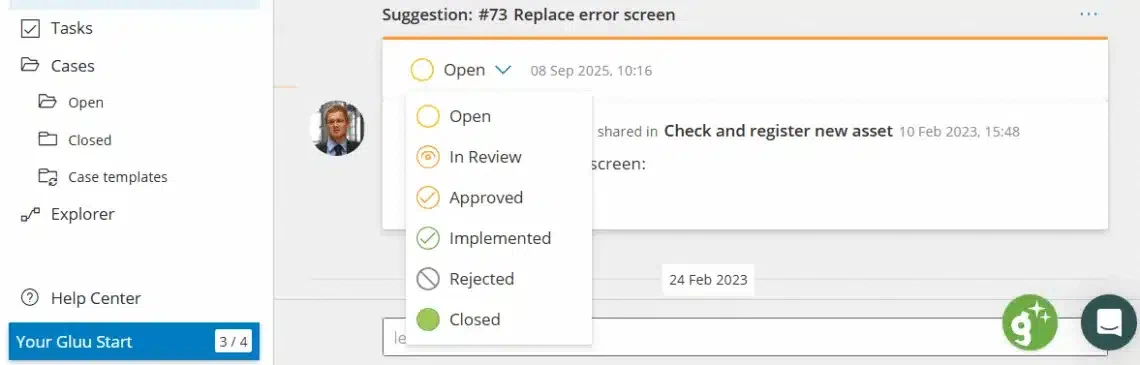
Change suggestion software in Gluu turns any comment on a Process or Activity into a formal suggestion that moves through Open, In Review, Approved, Implemented, Rejected and Closed status - reviewed by the team that owns that process - then bundled into a version with one-click change communication to everyone the change affects.
What it is
Change suggestion flow is the specific mechanism inside Gluu’s wider process improvement loop that carries one comment from “someone noticed something” to a published, versioned change. Any comment on a Process or Activity can become a formal suggestion, and any suggestion can be turned back into a comment if it isn’t ready to be formalised yet.
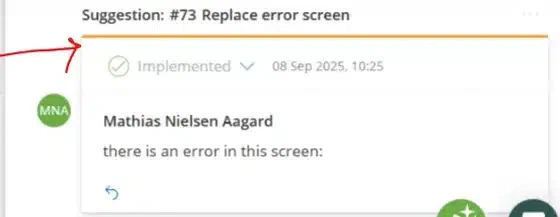
Once submitted, a suggestion carries its own status - Open, In Review, Approved, Implemented, Rejected or Closed - visible to anyone watching that process, so nothing needs to be chased over email. Review and approval sit with whoever owns that specific process: a Process Owner, an Editor, or a designated approver such as a Quality Manager, depending on how the process is configured.
Why it matters
A closed-loop review process, owned by the right team
Ideas don’t sit forgotten in an inbox
A change suggestion carries a visible status - Open, In Review, Approved, Implemented, Rejected or Closed - so the person who raised it can see it move without asking around. That visibility is what keeps people submitting the next idea instead of giving up after the first one goes quiet.
Review sits with the team that owns the process
There’s no central improvement committee to wait on. A Process Owner, Editor or a role designated for that process reviews suggestions and decides what happens next, so the loop closes without anyone needing to escalate it elsewhere.
Every rollout comes with an audit trail
Each version keeps its suggestion, its discussion and who approved it, attached permanently. When a change needs explaining months later - to an auditor or a new hire - the reasoning is still there, not lost in an old email thread.
How it works
How does the change suggestion flow work in Gluu?
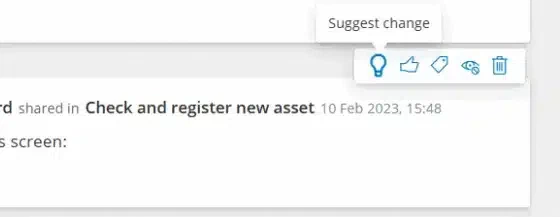
Turn a comment into a suggestion
Any comment on a Process or Activity can become a formal change suggestion in one click - and just as easily turn back into a comment if it isn’t ready to be formalised yet.
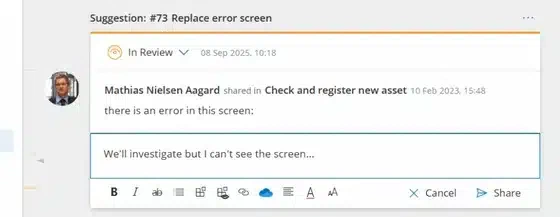
Discuss it while it’s In Review
The suggestion keeps its own thread. Editors and colleagues reply directly underneath it while it sits In Review, so the context doesn’t get split across email and chat.
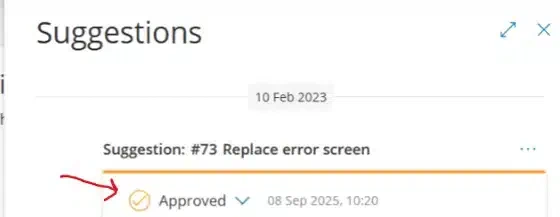
Review approved suggestions from one panel
Suggestions attached to a process open in a side panel next to the diagram, so an editor can see what’s Approved and update the process without leaving the page.
Bundle it into a version and notify everyone
Approved suggestions get bundled into a named version, with a changes summary listing exactly what moved and which suggestions it resolves. The same flow sends a one-click change communication to everyone the update affects.
Availability
Frequently asked questions
What counts as a change suggestion in Gluu?
Who reviews and approves a change suggestion?
What happens once a suggestion is approved?
Does every process need formal approval before a change goes live?
How is this different from just commenting on a process?
All Features